What Is LTE on iPhone? What It Means and Why It Shows Instead of 5G

LTE in your iPhone's status bar means you are connected to a 4G LTE mobile network and can use cellular data. It is normal and usually fast enough for maps, video calls and streaming. If you have an iPhone 12 or later and expected 5G, the most common reasons for LTE are that 5G isn't available where you are, your plan or the roaming network doesn't include it, Low Power Mode is on, or 5G Auto has chosen LTE to save battery. You change this under Settings, Cellular, Cellular Data Options, Voice & Data.
Below: what each network icon means, why your iPhone shows LTE instead of 5G, which Voice & Data setting to choose, what to expect on a travel eSIM, and fixes when LTE shows but nothing loads. LTE or 5G doesn't change how much data your apps use; to size a plan, our travel data calculator adds up your apps per day.
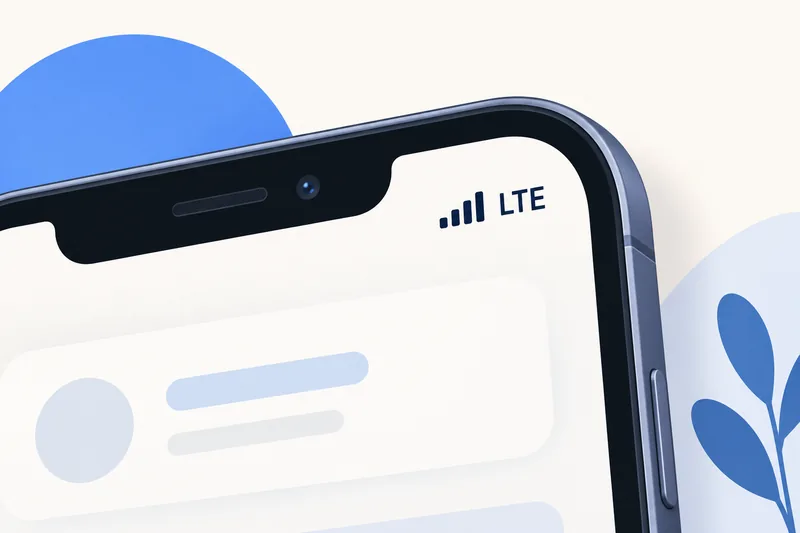
What the network icons on iPhone mean
| Icon | What it means |
|---|---|
| LTE | Connected to a 4G LTE network |
| 4G | Usually LTE; Apple notes that depending on the carrier it can also mean an older UMTS connection |
| 5G | Your carrier's 5G network is available and your iPhone can use it (iPhone 12 or later) |
| 5G+, 5G UW, 5G UC | A carrier's faster 5G variant, which can include higher-frequency 5G; Apple says higher-frequency 5G is supported only in the US on iPhones bought in the US |
| 5GA | The carrier's 5G-Advanced network is available; whether you see it depends on the carrier and country |
| 3G, E, GPRS | Older, slower networks, now switched off in many countries |
LTE typically delivers tens of Mbps, plenty for video calls and HD streaming on a phone; 5G can be several times faster where it is well built out. Our guide to what internet speeds really mean explains the numbers.
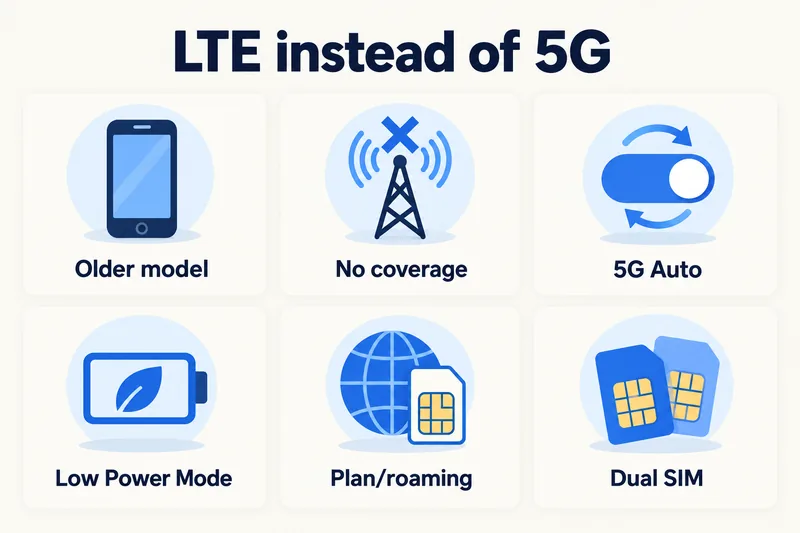
Why your iPhone shows LTE instead of 5G
- Your iPhone doesn't support 5G. 5G needs an iPhone 12 or later.
- No 5G coverage where you are. Indoors, in rural areas or on trains, LTE is often the only option.
- 5G Auto chose LTE. Apple's 5G Auto "enables Smart Data mode": when 5G wouldn't feel noticeably faster, the iPhone switches to LTE to save battery.
- Low Power Mode is on. Apple says it disables 5G except in some cases such as video streaming.
- Your plan doesn't include 5G, or the network you are roaming on doesn't offer it to visitors. Apple says "many carriers around the world support 5G roaming", not all.
- Dual SIM settings. On iPhone 12 models, 5G with Dual SIM needs iOS 14.5 or later, and each line has its own Voice & Data setting.
Need data for your trip? Compare eSIM plans by validity and data volume.
View eSIM plansVoice & Data: 5G Auto, 5G On or LTE?
Go to Settings, Cellular, Cellular Data Options, Voice & Data (in the UK, Australia and some other regions: Settings, Mobile Data, Mobile Data Options). On a dual SIM iPhone, tap the line first.
| Option | What Apple says it does | When to use it |
|---|---|---|
| 5G Auto | Uses 5G when it gives a noticeably better experience, otherwise LTE, saving battery | Best default for most people |
| 5G On | Always uses 5G when available; may reduce battery life | Strong 5G area and you want maximum speed |
| LTE | Uses only LTE, even when 5G is available | 5G keeps dropping, or you want to save battery |
On older iPhones or carriers without the 5G menu, you'll see Enable LTE instead, with Off, Voice & Data (calls and data over LTE, known as VoLTE) or Data Only. Leave it on Voice & Data unless your carrier says otherwise.
Data Mode affects data use, not LTE
In the same Cellular Data Options, Data Mode controls how much data apps may use: Allow More Data on 5G lets apps use higher-quality video and system tasks over cellular, Standard is the default on most carriers, and Low Data Mode pauses automatic updates and background tasks. If you're on a capped plan, this setting matters far more than LTE vs 5G. Our guide to saving data on iPhone covers it in detail.
LTE on a travel eSIM
Seeing LTE abroad is normal. A travel eSIM connects through a partner network in the country you visit, and whether you get 5G depends on that network, on the plan, and on your iPhone supporting the local 5G bands. Plenty of travellers spend a whole trip on LTE without noticing any difference. Before you go, check that:
- The travel eSIM is selected as your Cellular Data line.
- Data Roaming is on for the eSIM line (and off for your home SIM). See how to set data roaming per line.
- Low Power Mode is off if you want 5G where it's offered.
- The eSIM line's Voice & Data is on 5G Auto (or LTE if 5G is patchy).
Each Zyesims plan page shows the network type for that plan, so check it rather than assuming 5G. For example, our South Korea 10GB, 30-day plan costs $8.99 (price on 1 October 2026), and all plans for the country are on the South Korea eSIM page. For a week of typical use, about 9GB is enough; you can check your own estimate for South Korea.
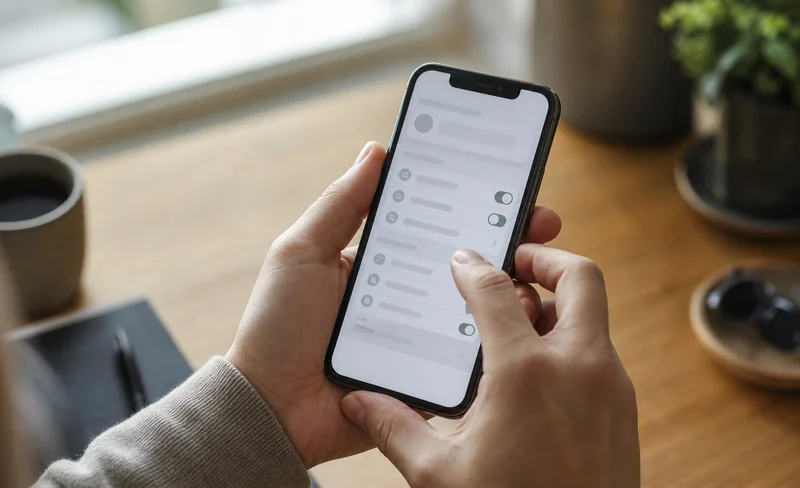
LTE shows but nothing loads: quick fixes
- Check that Cellular Data is on and the right line is selected.
- On a travel eSIM, turn on Data Roaming for that line.
- Toggle Airplane Mode on and off, or restart the iPhone.
- Check your plan hasn't run out of data or days.
- If it still fails, follow our eSIM not working guide.
Why Zyesims for staying connected abroad
Our plans connect to local partner networks, list the network type, data and validity before you pay, and most fixed plans can be topped up on the same eSIM. Check your iPhone on our eSIM compatible devices list before you buy.
Frequently Asked Questions
Does LTE on my iPhone mean I have service?
It means your iPhone is connected to an LTE (4G) mobile network and can use cellular data. If pages still don't load, the network is there but something else is blocking data: mobile data may be off for that line, data roaming may be off on a travel eSIM, or the plan may have run out.
Why does my iPhone say LTE instead of 5G?
Common reasons: your iPhone is older than the iPhone 12, there is no 5G where you are, your plan or the roaming network doesn't include 5G, Low Power Mode is on, or 5G Auto has switched to LTE because 5G wouldn't be noticeably faster. None of these is a fault.
Should LTE be on or off on my iPhone?
Leave it on. On a 5G iPhone, 5G Auto is the best default because it uses 5G when it helps and LTE otherwise. Choosing LTE only is reasonable if 5G keeps dropping or you want to save battery, but switching LTE off entirely would leave you on slower older networks or none.
Does LTE use more data than 5G?
No. The network type doesn't change how much data an app needs. What changes usage is quality: on faster connections some apps pick higher video quality, and Apple's Allow More Data on 5G setting lets apps use more. Low Data Mode works on both.
Is LTE the same as 4G?
LTE is the main 4G technology, and most phones treat them as the same. Apple notes one exception: depending on the carrier, a 4G icon can mean either an LTE or an older UMTS connection.
Keep reading
- What Do Internet Speeds Really Mean? Mbps, 4G & 5G for Travelers
- eSIM Not Working? How to Fix No Service on iPhone and Android
- How Does Dual SIM Work? Pairing a Home SIM with a Travel eSIM
- What Is an eSIM? A Complete Beginner's Guide for Travelers (2026)
- How Long Does It Take to Activate an eSIM? Real Timelines

A travel and tech enthusiast who loves to wander and discover new places. Mihi writes Zyesims' guides to eSIMs and mobile data abroad, built from carriers' and app makers' own documentation, published plan terms and Zyesims' current plan data — with sources named in each article. Mihi also writes about travel at MihiTravel and Notemeeting.
Ready for your next trip?
Choose the right eSIM, get your QR code by email, and connect when you land — coverage in 200+ countries.