How Much Data Does Spotify Use? Every Quality Setting, Lossless and Podcasts

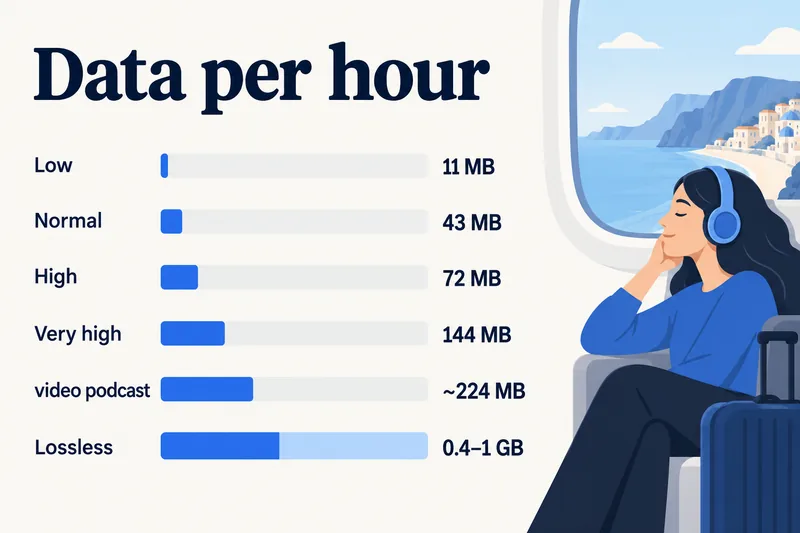
Spotify uses about 43 MB an hour on Normal quality and 72 MB on High, which is 1–2 GB for a whole month of an hour a day. Very high (Premium) roughly doubles that to 144 MB an hour, and Lossless is in another league at an estimated 0.4–0.9 GB an hour. On a travel plan, music is cheap as long as you leave Lossless for Wi-Fi.

Below are the figures for every quality setting, how long 1GB lasts, what podcasts, video podcasts and Canvas add, the current menu paths for each data setting, and how much data a music-heavy trip needs.
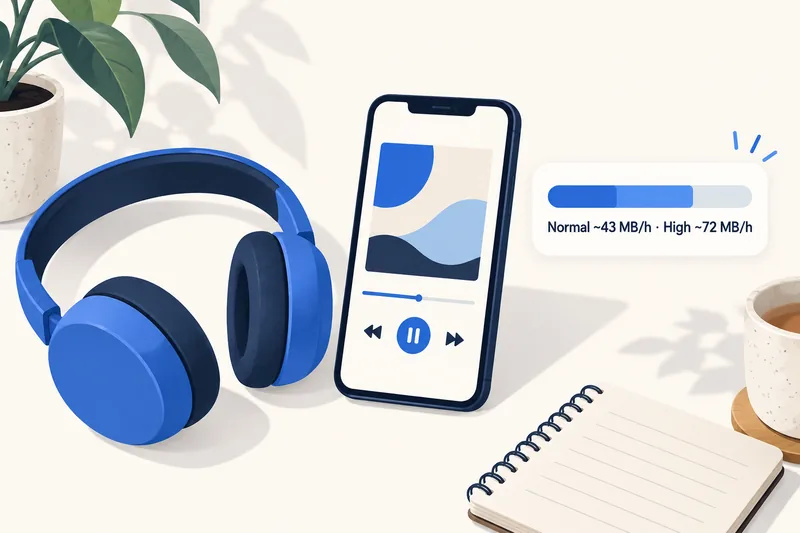
Spotify data usage by audio quality
Spotify publishes the bitrate of each quality level on its support page. Converting bitrate to data gives the figures below (1 kbit/s for an hour is about 0.45 MB):
| Quality setting | Bitrate (Spotify) | Per hour | Per 3.5-minute song | 1GB lasts about |
|---|---|---|---|---|
| Low | ~24 kbit/s | ~11 MB | ~0.6 MB | 90 hours |
| Normal | ~96 kbit/s | ~43 MB | ~2.5 MB | 23 hours |
| High | ~160 kbit/s | ~72 MB | ~4.2 MB | 14 hours |
| Very high (Premium) | ~320 kbit/s | ~144 MB | ~8.4 MB | 7 hours |
| Lossless (Premium) | FLAC, up to 24-bit/44.1 kHz | ~0.4–0.9 GB (our estimate) | ~25–55 MB | 1.1–2.5 hours |
Bitrates are from Spotify's audio quality page, checked on 1 October 2026. Spotify does not give a fixed figure for Lossless because FLAC files vary with each recording; it recommends a steady 1.5–2 Mbps connection, which would be roughly 675–900 MB an hour if fully used. Our range stays under that ceiling because most FLAC tracks compress well below it.
When our tool to estimate how much data you need counts music, it uses 75 MB an hour (roughly High), because Spotify's default "auto-adjust quality" often lands there on a good connection. The calculator's music range of 45–145 MB an hour covers Normal to Very high; Low is below it and Lossless is far above it.
Web player and desktop
The web player streams AAC at 128 kbit/s for Free and 256 kbit/s for Premium, about 58 MB and 115 MB an hour, and its quality cannot be changed. If you tether a laptop to your phone to use Spotify, plan with those numbers.
Podcasts, video podcasts and Canvas
Audio podcasts
Spotify streams podcasts at about 96 kbit/s, the same as Normal music, so about 43 MB an hour. If your cellular quality is set to Low, podcasts drop to 24 kbit/s as well.
Video podcasts
Video is the big jump. Spotify publishes no figure, but a test published by Navi (December 2025) measured a 30-minute video podcast at medium quality using 112 MB, about 224 MB an hour, five times the audio version. Spotify has an Audio-only streaming option (Settings and privacy, Data-saving and offline) that plays video podcasts as sound only.
Canvas and music videos
Canvas is the short 3–8 second looping video behind some tracks; music videos are full clips. You can switch both off under Settings and privacy, Content and display, Videos and Canvas, along with "Other videos". Spotify's own help notes that Canvas does not show while Data saver is on.
Need data for your trip? Compare eSIM plans by validity and data volume.
View eSIM plansSpotify compared with other apps
| App or activity | Data per hour | Source |
|---|---|---|
| Spotify, Normal / High | 43 / 72 MB | Spotify Support (bitrate) |
| YouTube Music, Normal / High | ~58 / ~115 MB at most | YouTube Music Help (bitrate) |
| Apple Music, standard AAC 256 kbit/s | ~115 MB | our calculation; Apple gives no figure |
| Google Maps navigation | 5–10 MB | Telstra, StarHub |
| Instagram, mixed feed | ~500 MB | StarHub; our calculator |
| TikTok, default | ~840 MB | StarHub |
| Video streaming, SD | ~700 MB | Netflix Help |
Apple says its lossless streaming "consumes significantly more data" without giving a number, and the same Wi-Fi rule applies there. For the video apps in the table, see YouTube's data use by quality and our broader guide to how much data streaming uses.
How to make Spotify use less data
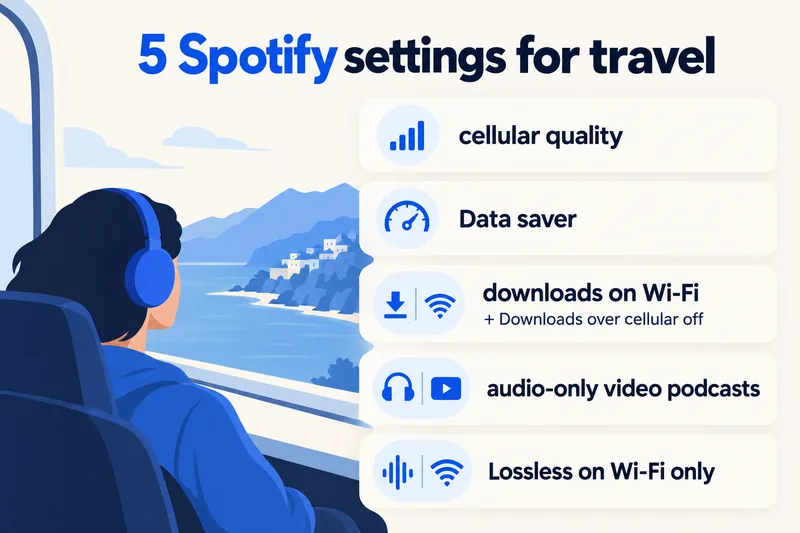
1. Set a separate quality for mobile data
Tap your profile picture, then Settings and privacy, Media quality. Spotify lets you choose streaming quality for Wi-Fi and for cellular separately, plus a download quality. A good travel setup: Wi-Fi at High, Very high or Lossless; cellular at Normal or High; downloads at High.
2. Turn on Data saver
Under Settings and privacy, Data-saving and offline, switch on Data saver. Spotify says it uses less data by showing fewer images and lowering audio quality.
3. Download playlists on Wi-Fi, and block cellular downloads
Premium users can download playlists, albums and podcasts. Do it on hotel or home Wi-Fi, then turn off Downloads over cellular in the same Data-saving and offline screen so a large download never starts on your travel plan. Offline playback uses no streaming data.
4. Use audio-only for video podcasts
Switch on Audio-only streaming in Data-saving and offline. It is the single biggest saving if you follow video podcasts.
5. Keep Lossless for Wi-Fi
Lossless can be selected for cellular, which is exactly why it is worth checking before you fly. One hour of Lossless can use more data than 10 hours on Normal.
How to check how much data Spotify has used
Your phone counts data per app: on iPhone under Settings, Cellular (tap Reset Statistics before your trip), on Android in the mobile data usage screen (Pixel: Settings, Network & internet, SIMs; Samsung: Settings, Connections, Data usage). Our guide to checking data usage on iPhone walks through the full screen.
How much data a music-heavy trip needs
Music on its own is light: two hours a day on High is about 150 MB, or roughly 1 GB a week. What decides your plan is everything else. Using our calculator's rates (20% buffer included), here is a 7-day trip in Europe with Zyesims prices on 1 October 2026:
| How you use your phone | Per day | 7 days | Plan that fits | Price |
|---|---|---|---|---|
| Playlists downloaded on Wi-Fi, maps and messaging | ~0.4 GB | ~3 GB | Europe (33 areas) 3GB, 30 days | $3.99 |
| Two hours of streaming on High, plus light use | ~0.6 GB | ~4.3 GB | Europe (33 areas) 5GB, 30 days | $5.49 |
| Two hours of music plus daily social media and calls | ~1.45 GB | ~10 GB | Europe (33 areas) 10GB, 30 days | $9.99 |
The first and last rows sit right at the plan size (3 GB and 10 GB), so either download some playlists first or pick the next size up. If you insist on Lossless over mobile data, two hours a day adds roughly 6–13 GB a week on top; that is unlimited-plan territory, see our unlimited eSIM plans. For your own mix of apps, run the calculator for France and 7 days or switch to your country, and see all Europe eSIM plans.
Why Zyesims for music on the move
For a music-and-maps week in Europe, the 3GB or 5GB plan in the table above is usually enough as long as Lossless stays on Wi-Fi, and most fixed plans can be topped up on the same eSIM if you go over. Each plan page lists its data, validity and any daily speed limit before you pay.
Frequently Asked Questions
How much data does Spotify use per hour?
About 11 MB an hour on Low, 43 MB on Normal, 72 MB on High and 144 MB on Very high. These come from the bitrates Spotify publishes for each setting (24, 96, 160 and 320 kbit/s). Lossless, available on Premium, uses far more: roughly 0.4–0.9 GB an hour by our estimate, since Spotify gives no exact figure.
How long does 1GB last on Spotify?
Roughly 90 hours on Low, 23 hours on Normal, 14 hours on High and 7 hours on Very high. On Lossless, 1GB may last only one to two and a half hours. Downloaded songs played offline do not count at all.
Does Spotify use data when songs are downloaded?
Playing downloaded songs uses no streaming data. The app may still use a little to sync your library, load images and report plays when you are online. To be safe abroad, download on Wi-Fi and switch off Downloads over cellular in Spotify's Data-saving and offline settings.
Do podcasts use more data than music on Spotify?
Audio podcasts stream at about 96 kbit/s, the same as Normal music quality, so around 43 MB an hour (less if your mobile quality is set to Low). Video podcasts use much more: a December 2025 test published by Navi measured about 224 MB an hour at medium video quality. Spotify's audio-only streaming option plays video podcasts as sound only.
Does Spotify Data saver turn off Lossless?
Spotify says Data saver reduces data by showing fewer images and lowering audio quality, but it does not publish the exact bitrate. If you use Lossless, the clearest control is still Media quality: set cellular streaming to Normal or High and keep Lossless for Wi-Fi and downloads.
Keep reading
- Best eSIM for Europe in 2026: Plans, Coverage and Real Prices Compared
- What Is Data Roaming? 2026 Costs and Cheaper Alternatives
- Fair Usage Policy on Unlimited eSIMs: Daily Caps & Throttling
- What Do Internet Speeds Really Mean? Mbps, 4G & 5G for Travelers
- How to Buy an eSIM Online: A Simple Guide for Travelers

A travel and tech enthusiast who loves to wander and discover new places. Mihi writes Zyesims' guides to eSIMs and mobile data abroad, built from carriers' and app makers' own documentation, published plan terms and Zyesims' current plan data — with sources named in each article. Mihi also writes about travel at MihiTravel and Notemeeting.
Ready for your next trip?
Choose the right eSIM, get your QR code by email, and connect when you land — coverage in 200+ countries.