What Is an eSIM? A Complete Beginner's Guide for Travelers (2026)

An eSIM is a digital SIM built into your phone: scan a QR code and get data in five minutes. How it works, eSIM vs physical SIM, compatible devices, and how to get and activate one.
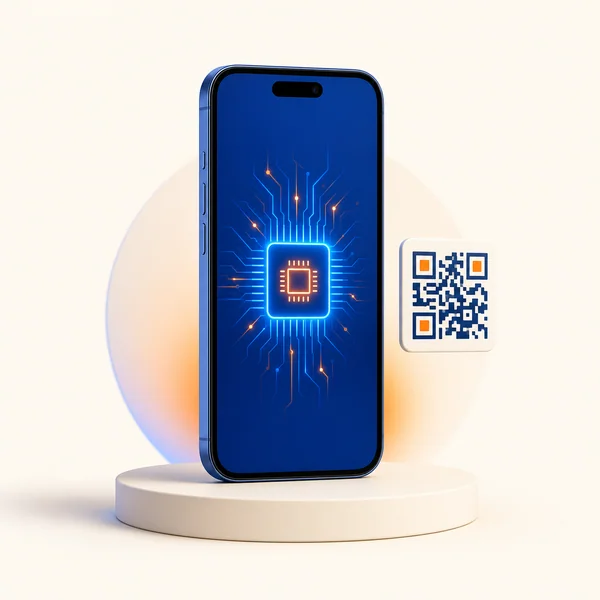
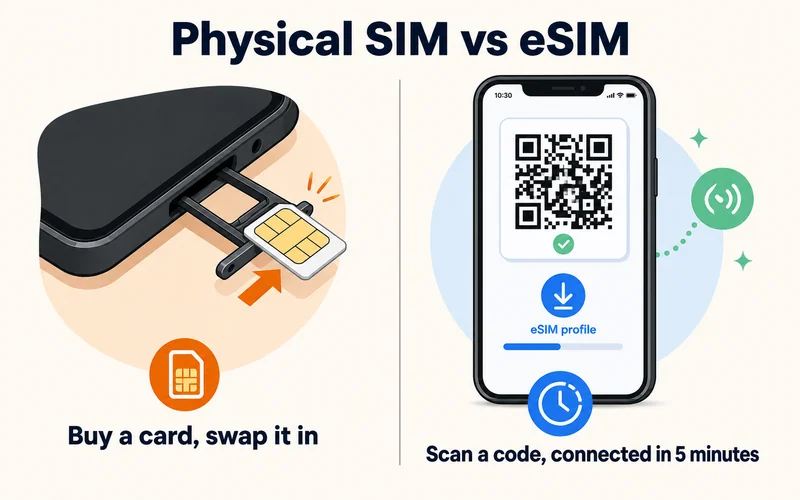
Quick answer: an eSIM (embedded SIM) is a digital SIM card built into your phone. Instead of slotting in a plastic chip, you scan a QR code and download a mobile plan, usually in under five minutes. It works exactly like a physical SIM, but you can buy plans online, store several at once, and switch between them without ever opening a SIM tray. That is why it has become the default way to get data abroad.
This guide explains what an eSIM is, how it works, how it compares to a physical SIM, which devices support it, and how to get and activate one. It is the starting point; each section links to a deeper guide if you want more.
What Is an eSIM?
An eSIM is a small rewritable chip soldered into your device's motherboard. Because it is programmable, a carrier can load, update, or remove a plan on it remotely, no physical card required. One eSIM chip can hold several profiles at once, so you might keep your home plan and two travel plans on the same phone and switch between them in Settings.
The technology started in smartwatches and connected devices, then spread to phones, tablets, and laptops. Today it is mainstream: the travel eSIM market is worth around $1.75 billion in 2026 and growing fast, and for many people a trip abroad is the first time they ever install one — exactly the case this guide is written for.
How Does an eSIM Work?
An eSIM stores your carrier credentials digitally in a secure chip. When you buy a plan, the provider sends a QR code; scanning it downloads the profile onto the chip through a process the industry calls remote SIM provisioning (a GSMA standard that keeps the transfer secure). Once installed, the eSIM connects to a mobile network exactly like a physical SIM — your phone just reads the profile from the chip instead of a card.
Every eSIM profile has its own ICCID (the plan's ID), and the chip itself has a fixed EID that carriers use to provision it. You will only ever need those numbers for activation or troubleshooting.
Need data for your trip? Compare eSIM plans by validity and data volume.
View eSIM planseSIM vs Physical SIM
| Feature | eSIM | Physical SIM |
|---|---|---|
| Getting a plan | Buy online, install in minutes | Find a shop or wait for mail |
| Multiple profiles | Store many, switch in Settings | One card at a time |
| Switching phones | Slower; needs re-provisioning | Pop out, pop in |
| Travel abroad | Install local-rate data before you fly | Buy a local SIM on arrival |
| Security | Can't be pulled out; can be disabled remotely | Can be pulled from a stolen phone |
| Waste | None | Plastic and packaging |
Neither is universally better. For a full breakdown including nano-SIM sizes, see SIM vs nano-SIM vs eSIM.
Why Travelers Choose eSIM
- No roaming bills: a local-rate travel plan costs a fraction of carrier roaming. Compare in what data roaming really is
- Ready on arrival: install before you fly and land with working data, no airport SIM hunt
- Keep your number: run dual SIM so your home line still receives calls and bank codes
- Switch countries instantly: one phone, many profiles, no card swapping between borders
- Eco-friendly: no plastic, no packaging

The Honest Trade-offs
eSIM is not flawless. Moving a profile to a new phone is slower than swapping a card, you cannot pop the chip out to troubleshoot, and not every phone supports it. None of these are dealbreakers for most travelers, but they are worth knowing — we cover them fully in eSIM disadvantages explained. (The common worries about battery drain, slower speed, and weaker security are myths: an eSIM matches or beats a physical SIM on all three.)
Which Devices Support eSIM?
Most flagships from 2018 onward:
- iPhone: XR and newer (US models from iPhone 14 are eSIM-only)
- Samsung: Galaxy S20 and newer, plus Z Fold and Flip (non-US variants)
- Google: Pixel 3 and newer
- Also: iPad Pro/Air/Mini, Apple Watch and Galaxy Watch (cellular), and some Dell, HP, and Lenovo laptops
Quick check: dial *#06# and look for an EID, open Settings and look for an "Add eSIM" option, or check our eSIM-compatible devices list. Regional exceptions exist — phones sold in mainland China generally ship without eSIM.
How to Get and Activate an eSIM
The whole flow takes about five minutes: buy a plan online for your destination and data size (full walkthrough in how to buy an eSIM online), get the QR code by email instantly, scan it, then turn the line on and set it as your data line when you land. The scanning step differs slightly by phone:
On iPhone
- Open Settings → Mobile Service (or Cellular)
- Tap Add eSIM, then Use QR Code and scan the code from your email
- Label the line (e.g. "Travel"), and set Mobile Data to the eSIM
- Leave your home line as the default voice line so calls still use your number
On Android (Samsung, Pixel, and most others)
- Open Settings → Connections (or Network & internet) → SIM manager
- Tap Add eSIM or Add mobile plan, then scan the QR code
- Set the eSIM as your mobile data line, and keep calls and texts on your home SIM
Do the buying and scanning on WiFi before you travel so you arrive ready. On arrival, turn on Data Roaming for the travel line — most travel eSIMs need it to connect, and it does not trigger roaming fees on a local-rate plan. Activation itself, the moment the line connects to a network, is usually near-instant on a good connection; for the full timing picture see how long eSIM activation takes.
If Your eSIM Won't Activate
Most setup hiccups come down to three things: a weak connection, a phone that is locked or unsupported, or a mistyped detail. Work through these in order:
- Restart the phone after installing — it often nudges the network into recognizing the new line
- Switch WiFi networks — some hotel and public networks block the profile download
- Confirm the phone is unlocked and supports eSIM for your region
- Don't retry over and over — repeated failed attempts can get flagged and temporarily blocked; contact your provider instead
Stubborn cases are covered in our guide to an eSIM that is not working.
Is an eSIM Safe?
Yes, and in some ways safer than a physical SIM. The profile is stored in a secure, tamper-resistant chip and cannot be physically pulled from a stolen phone the way a plastic SIM can, and it can be disabled remotely if your device is lost. The transfer of the profile itself uses an encrypted GSMA process, so scanning a QR code does not expose your data. The one habit that matters: because an eSIM ties to your account, keep that account protected with a strong password and two-factor login.
eSIM and 5G
eSIMs fully support 5G, and switching to a faster local network is just a profile change. That said, for typical travel, reliable 4G already covers maps, calls, streaming, and work — more on that in what internet speeds really mean.
Conclusion
An eSIM turns getting mobile data into a five-minute online purchase: no cards, no shops, no roaming shock. For travelers it is hard to beat: buy before you fly, keep your home number on a second line, and land connected. When you are ready, browse plans from $0.89 across 200+ destinations on the Zyesims store.
Frequently Asked Questions
What is an eSIM?
An eSIM (embedded SIM) is a digital SIM card built into your phone, tablet, or smartwatch. Instead of inserting a plastic chip, you download a mobile plan by scanning a QR code, usually in under five minutes. It does everything a physical SIM does, but you can switch plans and carriers without swapping cards.
Is an eSIM better than a physical SIM?
For travelers, usually yes. You can buy and install a plan before you fly, keep your home number active alongside it with dual SIM, switch between countries instantly, and skip roaming charges. Physical SIMs still win for moving between phones quickly and for phones that do not support eSIM.
How do I know if my phone supports eSIM?
Most flagships from 2018 on support it: iPhone XR and newer, Samsung Galaxy S20 and newer, and Google Pixel 3 and newer. The quick test is to dial *#06# and look for an EID number, or check Settings for an Add eSIM option. No EID usually means no eSIM.
Can I use an eSIM and a physical SIM at the same time?
Yes, on dual-SIM phones. The common travel setup keeps your physical SIM for calls and texts on your home number, and uses the eSIM for cheap local data. Your phone routes each automatically, and apps like WhatsApp stay linked to your home number.
Do travel eSIMs include calls and texts?
Most travel eSIMs are data-only, which is all you need if you use WhatsApp, iMessage, or FaceTime for calls. Keep your home SIM active in a dual-SIM setup if you still want to receive regular calls and SMS, including bank OTP codes.
Do I need an unlocked phone to use an eSIM?
Yes, for a third-party travel eSIM your phone must be carrier-unlocked. A phone still locked to your home carrier will reject another provider's eSIM. On iPhone check Settings > General > About > Carrier Lock ("No SIM restrictions" means unlocked). Phones bought outright are usually unlocked; carrier-financed ones often are not until paid off.
Can I buy and install an eSIM before I travel?
Yes, and you should. Buy and scan the QR code on WiFi at home a day or two before you leave, so you land ready instead of hunting for airport WiFi. Many travel eSIMs let the plan start on your arrival date or on first use, so installing early does not waste any validity — just don't set it as your data line until you arrive.
Can I move an eSIM to a new phone?
It depends. Carrier eSIMs can usually be transferred by reissuing the profile, and same-brand phones often have a quick-transfer option. But many prepaid travel eSIMs are locked to the device they activate on and cannot be moved. If you might switch phones, check the provider's transfer policy first.
Does an eSIM keep my phone number?
A data-only travel eSIM has no phone number of its own — it just carries data. Your own number stays on your home SIM, which you keep active alongside the eSIM in a dual-SIM setup, so calls, texts, and bank codes still reach your usual number.
Read More
- How to Buy an eSIM Online: Complete Guide
- How Does Dual SIM Work? The Travel Setup
- eSIM Disadvantages: What to Know Before Switching
Keep reading
- How to Buy an eSIM Online: A Simple Guide for Travelers
- eSIM Disadvantages: Real Limitations, Myths, and Fixes
- SIM vs Nano SIM vs eSIM: Key Differences and Which One to Choose
- How Long Does It Take to Activate an eSIM? Real Timelines
- Best eSIM for Europe in 2026: Plans, Coverage and Real Prices Compared

A travel and tech enthusiast who loves to wander and discover new places. Mihi writes Zyesims' guides to eSIMs and mobile data abroad, built from carriers' and app makers' own documentation, published plan terms and Zyesims' current plan data — with sources named in each article. Mihi also writes about travel at MihiTravel and Notemeeting.
Ready for your next trip?
Choose the right eSIM, get your QR code by email, and connect when you land — coverage in 200+ countries.