SIM vs Nano SIM vs eSIM: Key Differences and Which One to Choose

SIM, nano SIM, and eSIM all connect your phone to a network but differ in form. SIM sizes over the years, nano SIM vs eSIM, using both together, and which one you actually need.
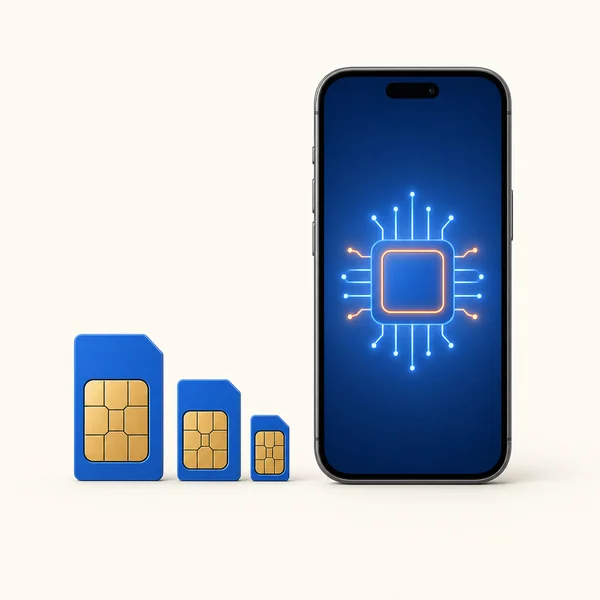
Quick answer: all three do the same job — connect your phone to a network — they just differ in form. A nano SIM is the tiny plastic card in most phones today. An eSIM is a chip built into the phone that you activate digitally, no card. "SIM" is just the general term (older phones used bigger versions). If your phone supports eSIM, you can skip physical cards entirely and install a plan by scanning a QR code.
This guide walks through what a SIM is, how the sizes shrank over the years, how nano SIM and eSIM compare, and which one you actually need.
What Is a SIM Card?
SIM stands for Subscriber Identity Module. It is a small chip that stores what your phone needs to join a mobile network: your number, network credentials, and security keys. Without a SIM (physical or embedded), a phone cannot make calls, send texts, or use mobile data. An eSIM holds exactly the same information; it just lives on a chip inside the phone instead of on a removable card.
SIM Card Sizes Over the Years
As phones packed in more hardware, the SIM kept shrinking to free up space:
| Type | Form factor | Size | Era / example |
|---|---|---|---|
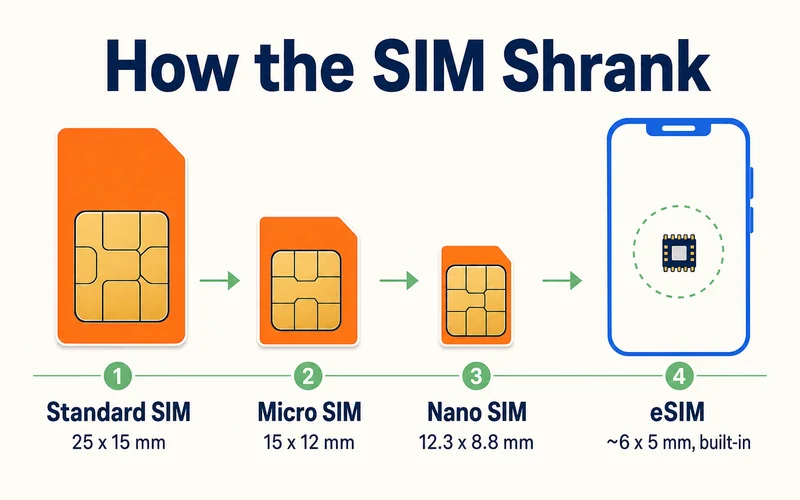
| Full-size (Standard) SIM | 1FF | 85 × 54 mm | 1991, the original credit-card-sized SIM |
| Mini SIM | 2FF | 25 × 15 mm | 1996 on, early mobile phones (often just called "standard") |
| Micro SIM | 3FF | 15 × 12 mm | 2003 spec, iPhone 4, Galaxy S3-era phones |
| Nano SIM | 4FF | 12.3 × 8.8 mm | 2012 on, iPhone 5 and today's phones |
| eSIM | MFF2 | ~6 × 5 mm chip, built in | ~2016 on, soldered in, no removable card |
Each step roughly halved the plastic while the actual chip stayed the same. The nano SIM is the smallest removable card; the eSIM (technically the MFF2 form factor) is the next step: not a smaller card but no card at all, soldered straight onto the board. Confusingly, "Standard SIM" is used two ways: originally for the 1991 full-size card, and today casually for the 25 × 15 mm Mini, so always check the millimeters, not just the name.
Need data for your trip? Compare eSIM plans by validity and data volume.
View eSIM plansNano SIM vs eSIM: the Real Difference
A nano SIM is a physical card you insert into a tray. An eSIM is a profile you download onto a built-in chip. That one difference drives everything else:
- Getting connected: a nano SIM means a shop visit or waiting for mail; an eSIM installs online in minutes
- Switching carriers or countries: nano SIM means physically swapping cards; an eSIM switches in Settings
- Multiple plans: a nano SIM holds one; an eSIM chip stores several profiles
- Internal space: no tray means room for a bigger battery or other components
The trade-off: eSIM needs a supported phone, and moving a profile to a new device is slower than popping out a card. New to the whole idea? Start with what an eSIM is.
Using a Nano SIM and eSIM Together
Most modern phones run both at once, which is the sweet spot for travel: keep your home number on the nano SIM for calls and bank codes, and add a travel eSIM for cheap local data. Your phone handles both lines and routes each to the one you choose. The full walkthrough is in our dual SIM travel setup guide.
What Size Do You Actually Need?
For almost any phone made since 2012, the answer is nano SIM. Older devices may need micro or standard. But if your phone supports eSIM, the simplest answer is to skip physical sizes altogether and activate digitally — no measuring, no cutting, no tray. (US-model iPhones from the iPhone 14 onward have no SIM tray at all, so eSIM is the only option there.)
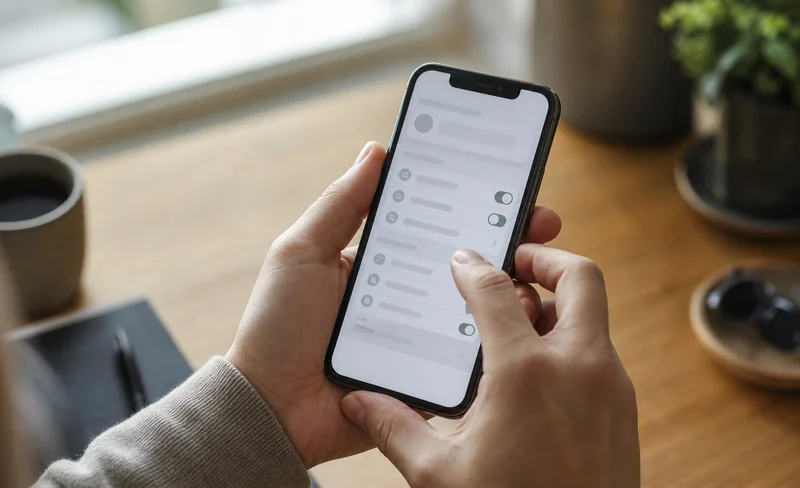
To check eSIM support: dial *#06# and look for an EID number, or open Settings and look for an "Add eSIM" option. Supported models include iPhone XR and newer, Samsung Galaxy S20 and newer, and Google Pixel 3 and newer — or check our eSIM-compatible devices list for the full rundown.
Not sure which physical size your phone takes? Three quick ways: pop out the SIM tray and compare the cut-out to the sizes above, search your exact model plus "SIM size" on the manufacturer's spec page, or, if you already have a working SIM, just note what is in there. For anything from the last decade the answer is almost always nano.
Can I Cut or Adapt a SIM Card?
Technically yes; in practice, be careful. Going smaller (say a micro SIM down to nano) can be done with a SIM cutter or scissors using a template, because only the plastic is trimmed and the chip stays intact. Going bigger (a nano back up to micro or standard) needs a cheap plastic SIM adapter that holds the small card in a larger frame.
The risk: cut a millimeter wrong and you nick the chip and kill the SIM, and carriers rarely replace a self-damaged card for free. Adapters can also jam or scratch a tray if they slip. So cutting is a last-resort fix, not a plan. If your phone supports eSIM, the cleaner answer is to skip physical sizing entirely.
What About iSIM?
The next evolution is already here: iSIM (integrated SIM). Where an eSIM is a separate chip soldered onto the board, an iSIM is built directly into the phone's main processor, saving even more space and power. For you as a user nothing changes — you still just scan a QR code — but it is why "the SIM" keeps disappearing further into the device. eSIM is the mainstream standard today; iSIM is starting to appear in newer flagships.
Conclusion
SIM, nano SIM, and eSIM are three points on the same timeline: the card kept shrinking until it disappeared into the phone. Nano SIM is still the reliable default for physical cards, but if your phone supports eSIM, it is the easier path — especially for travel, where you can install data before you fly. Browse plans from $0.89 across 188 destinations on the Zyesims store, no card size required.
Frequently Asked Questions
What is the difference between a nano SIM and an eSIM?
A nano SIM is a tiny physical card (8.8 by 12.3 mm) you slot into a tray. An eSIM is a chip built into the phone that you activate digitally by scanning a QR code — no card at all. Both do the same job; the eSIM just skips the physical card, so you can switch plans without swapping anything.
What size SIM card do I need?
Almost every phone since 2012 uses a nano SIM, the smallest physical size. Older phones may need a micro or standard SIM. If your phone supports eSIM (most flagships from 2018 on), you can skip physical sizes entirely and activate a plan digitally. Check your phone's specs if unsure.
Can I use a nano SIM and an eSIM at the same time?
Yes, on dual-SIM phones. A common setup keeps your home number on the nano SIM and adds a travel eSIM for data. Your phone runs both at once and routes calls and internet to the line you choose.
Is an eSIM better than a nano SIM?
For travel and flexibility, yes: you can buy and install a plan online in minutes, store several profiles, and switch without swapping cards. A nano SIM still wins for moving quickly between phones and for devices that do not support eSIM.
How do I know if my phone supports eSIM?
Most flagships from 2018 on support it: iPhone XR and newer, Samsung Galaxy S20 and newer, Google Pixel 3 and newer. Dial *#06# and look for an EID number, or check Settings for an Add eSIM option. No EID usually means physical SIM only.
Can I cut my SIM card down to a smaller size?
You can trim a larger SIM to a smaller one (for example micro to nano) with a cutter and template, since only plastic is removed, but one wrong millimeter ruins the chip, and carriers won't replace a self-damaged card for free. To go the other way, use a plastic SIM adapter. If your phone supports eSIM, skipping physical cards altogether is the safer route.
What is iSIM?
iSIM (integrated SIM) is the step after eSIM: instead of a separate soldered chip, the SIM function is built directly into the phone's main processor, saving space and power. As a user you interact with it the same way — scanning a QR code — and it is starting to appear in newer flagship phones.
Why do SIM cards keep getting smaller?
To free up internal space. Every millimetre saved on the SIM and its tray can go toward a bigger battery, more sensors, or a slimmer phone. The chip that actually matters never really shrank; the plastic around it did, until the eSIM removed the card entirely.
Read More
- What Is an eSIM? A Beginner's Guide
- How Does Dual SIM Work? The Travel Setup
- How to Buy an eSIM Online
Keep reading
- What Is an eSIM? A Complete Beginner's Guide for Travelers (2026)
- What Is a Prepaid SIM Card? How It Works, ID Rules, and Real 2026 Costs
- eSIM Disadvantages: Real Limitations, Myths, and Fixes
- How Does Dual SIM Work? Pairing a Home SIM with a Travel eSIM
- EID Number Explained: How to Find It Fast on iPhone and Android

A travel and tech enthusiast who loves to wander and discover new places. Mihi writes Zyesims' guides to eSIMs and mobile data abroad, built from carriers' and app makers' own documentation, published plan terms and Zyesims' current plan data — with sources named in each article. Mihi also writes about travel at MihiTravel and Notemeeting.
Ready for your next trip?
Choose the right eSIM, get your QR code by email, and connect when you land — coverage in 200+ countries.