Do eSIMs Expire? What Runs Out, When, and How to Check (2026)

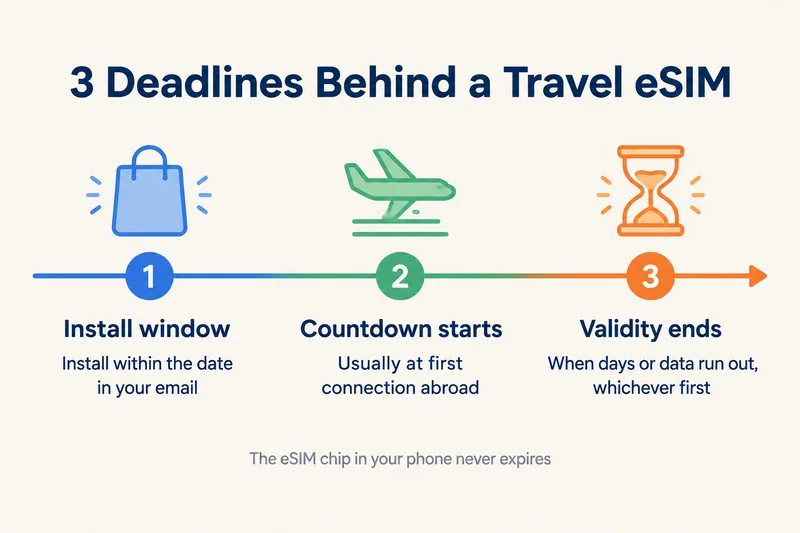
The eSIM chip in your phone never expires, but every plan you put on it does. A travel eSIM plan ends when its validity period is over or its data runs out, whichever happens first. Before that, most plans also have a deadline to install and start using them. At Zyesims that window is up to 180 days on most plans, and the countdown usually starts only when you first connect in the destination.
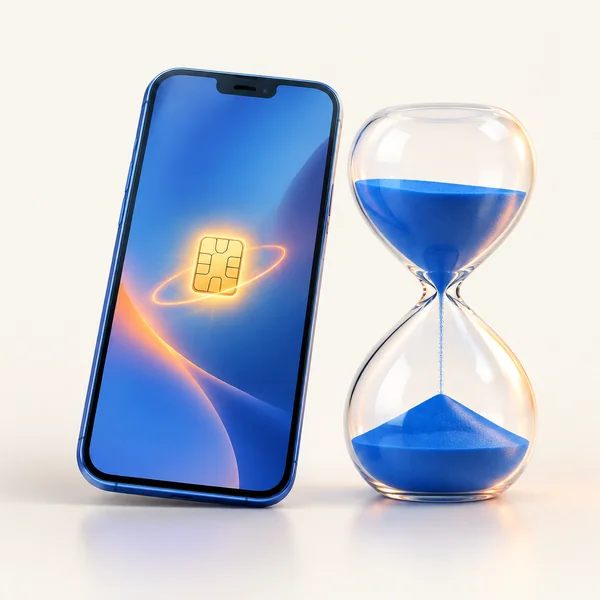
So "does my eSIM expire?" really means three separate questions: how long you can wait before installing it, when the days start counting, and how long it lasts once they do. Here is each one, how to check where you stand, and what to do when a plan runs out mid-trip.
What expires and what does not
An eSIM is two things at once. The eSIM chip is hardware soldered into the phone, and it works for as long as the phone does. The eSIM profile is the digital SIM card you download onto that chip, and it carries a plan with limits. When people say an eSIM expired, they almost always mean the plan.
| Does it expire? | What that means for you | |
|---|---|---|
| eSIM chip (hardware) | No | Your phone can keep installing new eSIMs for years |
| Travel plan (validity + data) | Yes | Ends after its days or its gigabytes, whichever runs out first |
| Unused QR code | Usually, after an install window | Install and use it before the date in your delivery email |
| Installed profile after the plan ends | Stays on the phone | Harmless; top it up if the provider allows, or delete it |
| Home carrier eSIM (your normal number) | Not while the account is active | Prepaid lines can be reclaimed after long inactivity |
The three deadlines behind every travel eSIM
1. The install window: how long you can wait
From the day you buy, a plan has to be installed and put to use within a set window. Across the industry it ranges from about 30 days to a year. On most Zyesims plans it is 180 days, and the exact date is printed as Install by on the email with your QR code. Miss it and the code simply stops working, even though you never used a megabyte.
This is the deadline that catches people whose trip gets postponed. If your dates move, check that date before assuming the plan will wait.
2. The start of the countdown: purchase, install, or first connection
Two plans can both say "30 days" and behave differently, because they start counting at different moments:
- At first connection in the destination. The friendliest model. You can install at home weeks ahead and lose nothing. Most Zyesims plans work this way.
- At installation. The days start when the profile lands on your phone, so installing a week early costs a week. Our Europe (31 areas) plans work this way.
- At purchase. Less common with travel eSIMs, and the reason to buy close to departure if a provider uses it.
Check the rule before you install early, not after. If the plan page or delivery email does not make it clear, ask the provider; it takes one message.
3. The validity period: days and data, whichever ends first
Once the countdown starts, the plan runs for its stated length. A 20GB, 30-day plan ends on day 30 even if 5GB are left, and it also ends on day 12 if you have used all 20GB by then. Unused data does not roll over when the days run out.
Daily and unlimited plans work a little differently: the allowance refreshes every day, and the plan ends after the number of days you bought. If you are unsure which type you have, our guide to what "unlimited" means on a travel eSIM explains daily caps.
Need data for your trip? Compare eSIM plans by validity and data volume.
View eSIM plansDo eSIMs expire if you never use them?
Yes, eventually. An uninstalled plan lasts until its install window closes. An installed plan that has not connected yet usually waits too, as long as it starts counting at first connection.
Two common beliefs are wrong, though:
- Turning the line off does not pause a plan that has started. Switching the eSIM off in settings stops it using data, but the days keep counting once the countdown has begun.
- An unused eSIM is not safe forever. If you bought for a trip that moved by seven months, the 180-day window may have closed. Contact the provider before the date passes, not after.
What happens when an eSIM plan expires
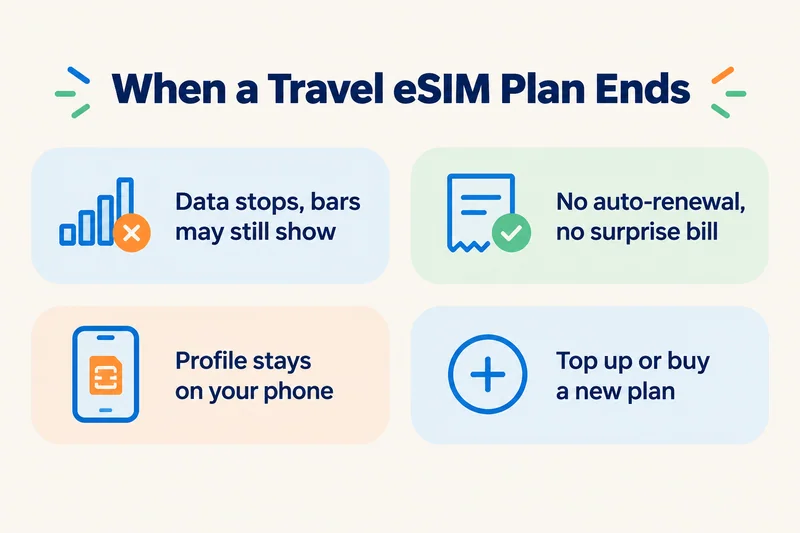
- Data stops. Apps stop loading, although the phone may still show signal bars and a carrier name, because the network is reachable but the plan is not.
- Nothing is charged. Prepaid travel plans do not auto-renew, so there is no surprise bill.
- The profile stays installed. It sits in your settings, inactive, until you top it up, reuse it or delete it.
- Your home line is not affected. Calls and texts on your normal number carry on as before.
If you still have days left but nothing loads, the plan may not be the problem at all. Our guide to an eSIM that is not working covers the other causes.
How to check if your eSIM has expired
- Check the line on your phone. iPhone: Settings, Cellular (or Mobile Service). An active line shows a carrier name, and its data use appears in the list below. Android: Settings, Connections (or Network & internet), SIM manager, and check the eSIM is on and connected.
- Check the plan's balance. Your phone cannot see how many days or gigabytes are left; only the provider can. For most Zyesims plans, the delivery email has a Check balance / Top up button that shows how much data is left and lets you add more.
- Count the days. If the plan started at your first connection, add its length to that date. A 30-day plan ends 30 days after that first connection.
- Look for the signs. Signal bars and a carrier name but no data, in a country the plan covers, usually means the plan has run out.
Running out mid-trip: top up, extend, or buy a new plan
You have three options, and the right one depends on the plan:
- Top up the same eSIM. Many fixed-data plans let you add data to the profile you already have, with no new QR code. Most Zyesims fixed-data plans support this through the balance link in your email. A few, such as the Europe (31 areas) plans, do not.
- Buy a new plan. A new eSIM is emailed to you once your order is confirmed and installs over hotel Wi-Fi. Leave the old profile off or delete it once the new one works.
- Plan ahead for long trips. If you are away for months, pick a long-validity plan from the start instead of stacking 30-day ones. For example, the Japan 50GB plan for 180 days costs $42.49 (see all Japan eSIM plans), and 50GB across 34 European countries for 180 days costs $54.99; it is a different plan family from the Europe (31 areas) plans, and its countdown starts at first connection.
Does your home SIM or eSIM expire?
Your normal phone number works differently from a travel plan. A postpaid line, eSIM or physical, stays active as long as you pay the bill. A prepaid line can lapse if you do not top up or use it: carriers typically reclaim numbers after a few months of inactivity, and the exact rule depends on the carrier and country. If you keep a prepaid number while living abroad, add credit or make a call every so often. Our guide to how prepaid SIM cards work goes into those rules.
Should you delete an expired eSIM?
It is safe to delete a travel eSIM whose plan has ended and that you do not intend to top up. It frees up the list in your settings and avoids choosing the wrong line on your next trip. Just be sure: a deleted profile usually cannot be reinstalled from the same QR code. If the provider lets you top up the same eSIM, keep it for your next visit to that country instead.
How to avoid wasting a plan
- Check when the countdown starts on the plan page before installing early. If it starts at first connection, buying weeks or even months ahead is fine, as long as you install before the date in your email.
- Install on home Wi-Fi a day or two before you fly, and keep the line off until you land. See how long activation takes.
- Match the plan to the trip: validity first, then data. Big data on short validity is money left on the table.
- Put the plan's end date in your calendar with a one-day reminder.
- If your trip is postponed, check the Install by date in the email.
- Keep the delivery email: it holds the QR code, the balance link and the dates.
How Zyesims handles eSIM expiry
Most Zyesims plans start counting only at your first connection in the destination, so installing early does not cost you days; the exceptions, such as the Europe (31 areas) plans, start at installation, so install those on the day you fly. For long stays, 180-day plans are available for many destinations, including Japan, the USA and Europe.
Frequently Asked Questions
How long is an eSIM valid for?
The eSIM hardware in your phone lasts as long as the phone. A travel eSIM plan lasts for its stated validity, usually 1 to 30 days, with longer plans of 90 or 180 days for extended stays. It ends when that period is over or when the data runs out, whichever comes first. Before that clock starts, most plans also give you an install and activation window; at Zyesims that is up to 180 days from purchase on most plans.
Do eSIMs expire if not activated?
They can. A plan you never install or use has a deadline, often somewhere between 30 and 365 days depending on the provider. Miss it and the QR code stops working. Most Zyesims plans show that date as Install by in the delivery email, and the validity countdown itself only starts at your first connection in the destination.
How do I know if my eSIM is expired or still active?
Look for data that stops while the line still shows signal bars, or No Service in a country the plan covers. On iPhone, Settings, Cellular shows whether the line is on and using data; on Android, check the eSIM in the SIM manager. To see how many days and how much data remain, open the balance or top-up link in your provider's email or app, which is the only reliable source; counting the days from your first connection also works if you know the plan length.
Can an eSIM go bad?
The eSIM chip has no expiry date, and an installed profile does not decay over time. What goes bad is the plan on it: once the validity or data is used up it stops working, and a profile that was deleted cannot be reinstalled from the same QR code. The phone itself keeps its eSIM capability for as long as it works.
Keep reading
- How Long Does It Take to Activate an eSIM? Real Timelines
- eSIM Stuck on Activating? Why It Happens and 9 Fixes That Work (2026)
- Fair Usage Policy on Unlimited eSIMs: Daily Caps & Throttling
- What Is a Prepaid SIM Card? How It Works, ID Rules, and Real 2026 Costs
- What Is an eSIM? A Complete Beginner's Guide for Travelers (2026)

A travel and tech enthusiast who loves to wander and discover new places. Mihi writes Zyesims' guides to eSIMs and mobile data abroad, built from carriers' and app makers' own documentation, published plan terms and Zyesims' current plan data — with sources named in each article. Mihi also writes about travel at MihiTravel and Notemeeting.
Ready for your next trip?
Choose the right eSIM, get your QR code by email, and connect when you land — coverage in 200+ countries.