


Russia Travel Apps 2026: What to Download, What Works and How to Pay

Before a trip to Russia, install Yandex Maps or 2GIS for navigation, Yandex Go for taxis, ZenHotels for hotels, Yandex Translate, and set up a YooMoney Travel Card or bring cash, because foreign Visa and Mastercard cards have not worked in Russia since 2022. Expect some apps to ask for a Russian phone number, and note that WhatsApp and Telegram are blocked in 2026.
Russia runs on its own apps. Google Maps, Uber, Booking.com and most Western payment tools either work badly or not at all, and since 2025 a string of new rules has changed what tourists can sign up for. This guide lists the apps that work for visitors, what each one needs, and the 2025–2026 changes most app lists leave out. Everything was checked on October 10, 2026.
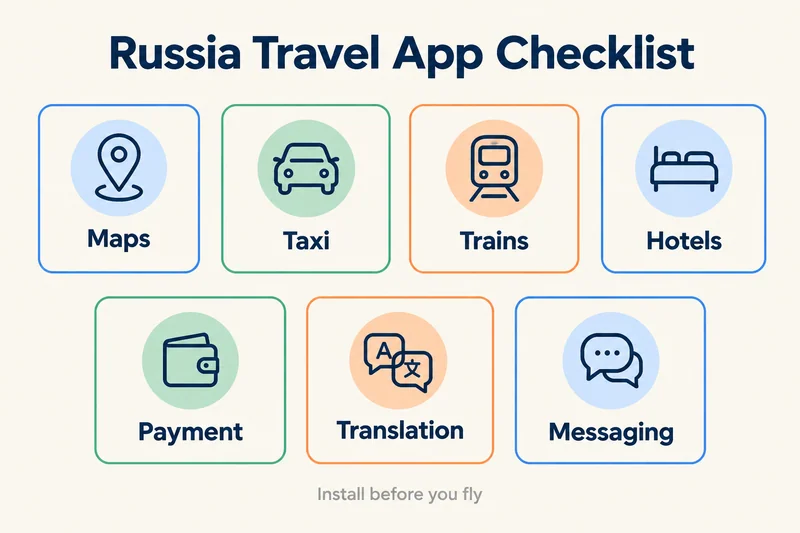
The short list: apps to install before you fly
| What you need | App | Works for tourists? | What to know |
|---|---|---|---|
| Maps and public transport | Yandex Maps | Yes | English interface, metro exits, offline maps |
| Offline maps, no account | 2GIS | Yes | Download each city in advance; indoor maps of stations and malls |
| Taxis | Yandex Go | Partly | Sign-up code often fails on foreign numbers; pay cash |
| Metro | Yandex Metro | Yes | Works offline; buy a Troika (Moscow) or Podorozhnik (St Petersburg) card with cash |
| Trains | RZD (Russian Railways) | For timetables | Checkout takes Mir cards only; buy at the station or through an authorised reseller |
| Domestic flights | Aviasales | Yes, for search | Sends you to partner agencies, some accept foreign cards |
| Hotels | ZenHotels | Yes | International brand of Ostrovok; accepts foreign cards |
| Payments | YooMoney (Travel Card) | Yes | Prepaid Mir card for foreigners; register with your passport |
| Translation | Yandex Translate | Yes | Offline mode covers typed text only |
| City guide (Moscow) | RUSSPASS | Yes | Official Moscow tourism app, English available |
| Messaging | iMessage, WeChat, phone calls | Yes | WhatsApp and Telegram are blocked |
What changed in 2025 and 2026
Most "Russia travel apps" lists were written before these changes. They decide which apps you can actually use.
- Many apps want a Russian phone number. Russian law has required sites and apps to log users in with a Russian phone number, Gosuslugi or a Russian ID service since December 2023, and fines for letting people sign in with Google or Apple ID instead took effect in early July 2026. In practice, sign-up codes often fail to reach foreign numbers.
- Some apps left the App Store. Apple removed the state-backed Max messenger in June 2026, all VK apps (VKontakte, Mail.ru and others) on June 25, 2026, and Yandex Pay in summer 2026. Yandex Maps, Yandex Go and Yandex Translate were still available as of August 2026.
- Foreign cards do not work. Visa and Mastercard cards issued abroad stopped working in Russia in March 2022, and Apple Pay and Google Pay do not work with foreign cards.
- WhatsApp and Telegram are blocked. WhatsApp since February 2026, Telegram since spring 2026, and a travel eSIM no longer gets around the blocks.
Need data for your trip? Compare eSIM plans by validity and data volume.
View eSIM plansMaps and getting around
Yandex Maps
Yandex Maps is the most accurate map for Russian cities. It routes walking, driving and public transport, shows which metro exit to use, and shows 3D models of some Moscow metro entrance buildings. The interface works in English, and you can download city maps for offline use. Google Maps still loads in Russia, but its public transport and business data are much weaker.
2GIS
2GIS is the best backup when you have no signal. You download a whole city once, and the map, addresses, opening hours and indoor floor plans of stations and shopping centres then work offline. You do not need an account to use it, which makes it one of the few Russian apps a tourist can rely on from day one. That matters more in 2026, because mobile internet is often restricted to a whitelist of approved services: in July 2026, only about 30% of mobile sessions in central Russia were unrestricted.
Metro: Yandex Metro, Troika and Podorozhnik
Yandex Metro plans routes on the Moscow and St Petersburg metros, including which carriage stops nearest the exit, and works offline. To pay, buy a Troika card in Moscow or a Podorozhnik card in St Petersburg at a ticket office or machine with cash; both menus have English. Contactless foreign bank cards are not accepted at the gates, and Moscow's Face Pay requires a Mir card. A single St Petersburg token has cost 95 rubles since January 1, 2026.
Yandex Go for taxis
Yandex Go is Russia's main ride-hailing app; Uber's Russian business merged into Yandex in 2018 and Uber left entirely in 2022. Fares are fixed before you ride and the app has an English interface. The catch for visitors is sign-up: travelers report that the SMS code often fails to arrive on non-Russian numbers, and foreign cards cannot be added, so you pay the driver in cash. If you cannot register, ask your hotel to order a car for you.
Trains and domestic flights
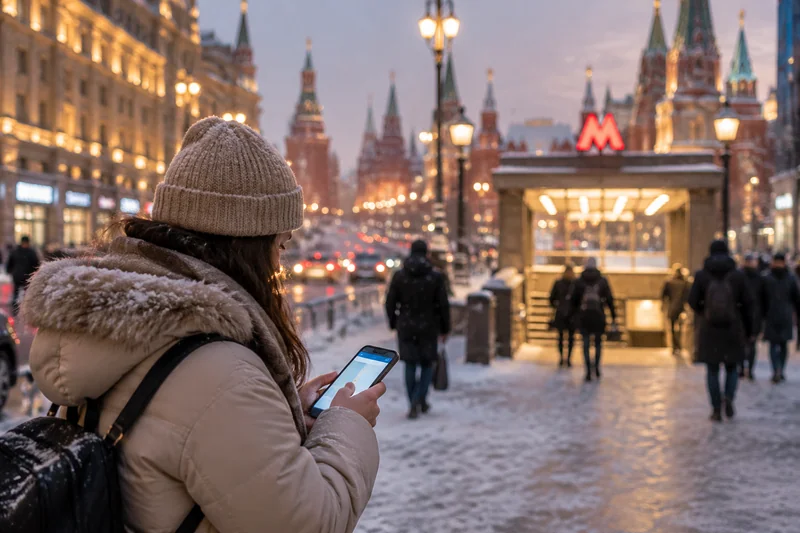
The RZD app and website are the official source for Russian Railways timetables, seats and prices, including the Sapsan between Moscow and St Petersburg. Checkout only accepts Mir cards. Most visitors check times in the app, then buy at a station ticket office with their passport and cash, or through an authorised reseller that takes foreign cards for a fee. Your name must match your passport exactly.
Aviasales compares domestic flights across Russian airlines. It is a search engine, so it sends you to partner agencies to pay; some accept foreign cards, while the airlines' own websites generally do not. Choose USD at checkout if the option appears, and keep a backup payment method.
Hotels and apartments
ZenHotels, the international brand of Russia's Ostrovok, is the safest way to book from abroad because it accepts foreign cards, although users in the EU and UK no longer see Russian hotels there because of sanctions. Ostrovok and Yandex Travel have more local listings, but generally expect a Russian or Mir card. Booking.com and Airbnb stopped operating in Russia in 2022. Some guesthouses and apartments let you pay the host in cash on arrival; confirm that in writing before you travel.
Paying in Russia
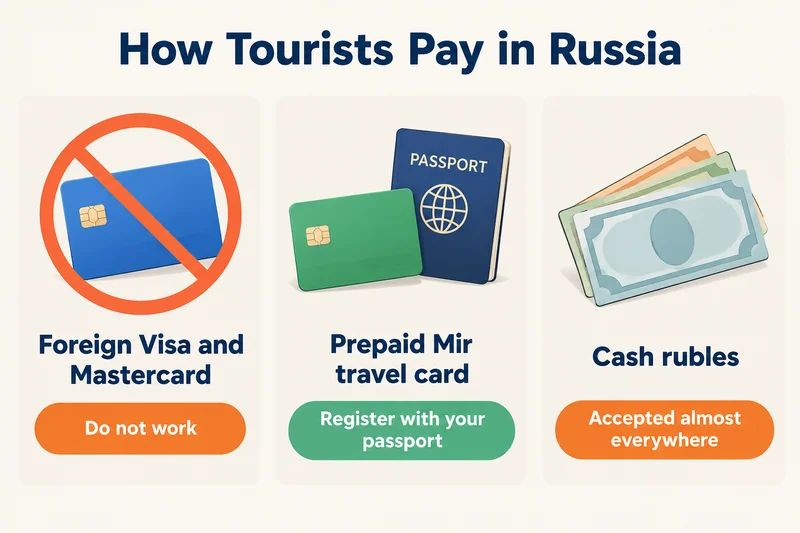
This is the part that catches most visitors. Your foreign Visa or Mastercard will not work in shops, at ATMs or online, so plan two ways to pay.
- YooMoney Travel Card. A prepaid Mir card for foreigners from YooMoney, part of Sber. You register in the YooMoney app with your passport and can use a free virtual card before the trip; a plastic card costs 399 rubles and can be collected at Sheremetyevo (Terminal C) or Pulkovo airports or at YooMoney offices in Moscow and St Petersburg. You can top it up from a foreign card, or in cash at Sber ATMs, which for the virtual card works on Android only. You can then pay in shops, on public transport top-ups and in apps that accept Mir cards.
- Cash. Rubles are accepted almost everywhere. You can bring the equivalent of up to US$10,000 without a customs declaration; declaring it on arrival makes it easier to take cash back out. Exchange at banks.
- UnionPay. Cards issued abroad work at many large stores and hotels, but not everywhere.
Translation and communication
Yandex Translate handles Russian better than most alternatives and can translate menus and signs with your camera. Its offline mode covers typed text only; voice and camera translation need a connection, and the English–Russian dictionaries come pre-installed. Google Translate loads in Russia as of October 2026, but may fail on mobile data when a region switches to whitelist-only internet.
For messaging, plan around the blocks. Ordinary calls, iMessage between iPhones and WeChat work; WhatsApp and Telegram do not, and FaceTime is restricted. Max, the state-backed messenger many Russian hosts now use, only accepts phone numbers from about 40 countries and is no longer in Apple's App Store. Our guide to whether WhatsApp works in Russia covers every app and what tourists use instead.
Official apps for visitors
RUSSPASS is Moscow's official tourism app, with routes, tickets and city guides in several languages including English. If you enter Russia without a visa, you can pre-register in the government's RuID app; it is a pilot running until the end of 2027 and has been voluntary for tourists so far, so check with your Russian consulate before you go. Plans to add SIM card and bank card services to the Visit Russia tourist app had not materialised as of October 2026.
None of this works without mobile data
Every app above needs a connection at some point, and that is harder in Russia than most places. Foreign SIMs and eSIMs lose data and SMS for the first 24 hours after they connect, until you clear the block with the operator's captcha link; our guide to the 24-hour data block explains how. Public Wi-Fi, including at airports, asks for a phone number and an SMS code. And a Russian SIM now requires SNILS, Gosuslugi and biometrics, which our Russia SIM card guide walks through.
For most visitors the simplest fix is a travel eSIM installed at home. Our Russia eSIM plans run on T2 and Beeline, starting at $2.69 for 1GB over 7 days; a 5GB, 30-day plan costs $8.99, enough for maps, taxis and translation on a one- or two-week trip. Like every travel eSIM, it is data-only with no Russian number, so it will not receive sign-up codes for apps like Yandex Go, and blocked apps stay blocked.
Your app stack by trip length
| Trip | Install | Set up before you fly |
|---|---|---|
| 3–7 days, one or two cities | Yandex Maps, 2GIS, Yandex Metro, Yandex Translate | Offline maps, cash or a Travel Card, eSIM |
| 1–3 weeks, several cities | The above plus RZD, Aviasales, ZenHotels, Yandex Go | Train plan, hotel bookings saved offline, a way to order taxis |
| A month or longer, work or study | The above plus a Russian bank app | A Russian SIM (SNILS, Gosuslugi, biometrics) for full app access |
Frequently Asked Questions
What apps should I download before going to Russia?
Yandex Maps or 2GIS for navigation, Yandex Metro for the subway, Yandex Go for taxis, RZD for train times, ZenHotels for hotels, Yandex Translate, and YooMoney if you want a prepaid Mir travel card. Install them at home, because some apps are hard to download or update once you are in Russia.
Does Uber work in Russia?
No. Uber's Russian business merged into Yandex in 2018 and Uber left Russia entirely in 2022. Yandex Go is the main replacement, but travelers report that registration codes often fail to reach foreign phone numbers, and you pay the driver in cash unless you have a Mir card.
Can I use Russian apps with a foreign phone number?
Some, but not all. Maps, 2GIS, Yandex Metro and Yandex Translate work without an account. Apps that need a login, such as Yandex Go, delivery services and marketplaces, increasingly require a Russian phone number, Gosuslugi or a Russian ID service, especially after fines for foreign logins took effect in July 2026.
Does Google Maps work in Russia?
Yes, it loads, but its public transport data, business listings and metro guidance are much weaker than Yandex Maps or 2GIS. Use Google Maps as a backup and rely on a Russian map app for daily navigation, with offline maps downloaded in case mobile internet is restricted.
Can I pay with Visa or Mastercard in Russia?
No. Cards issued outside Russia have not worked there since March 2022, in shops, at ATMs or online, and Apple Pay and Google Pay do not work with them. Bring cash rubles or set up a prepaid Mir travel card such as YooMoney's Travel Card; UnionPay cards work at some larger stores.
Does WhatsApp work in Russia?
No. Russia blocked WhatsApp nationwide in February 2026, and Telegram has been blocked for most users since spring 2026. A travel eSIM no longer gets around these blocks. Use ordinary calls, iMessage or WeChat, and agree on a backup with your contacts before you go.
Keep reading
- Does WhatsApp Work in Russia? 2026 Status, Telegram and What to Use Instead
- Russia SIM Card for Tourists in 2026: Local SIM Rules, Operators and eSIM Prices
- Russia eSIM 24-Hour Data Block: Why It Happens and How to Lift It (2026)
- How Much Data Does Google Maps Use? Per Hour, Per Trip and Offline (2026)
- How to Buy an eSIM Online: A Simple Guide for Travelers

A travel and tech enthusiast who loves to wander and discover new places. Mihi writes Zyesims' guides to eSIMs and mobile data abroad, built from carriers' and app makers' own documentation, published plan terms and Zyesims' current plan data — with sources named in each article. Mihi also writes about travel at MihiTravel and Notemeeting.
Ready for your next trip?
Choose the right eSIM, get your QR code by email, and connect when you land — coverage in 200+ countries.