EID Number Explained: How to Find It Fast on iPhone and Android

The EID is the 32-digit serial number of your phone's eSIM chip. What it does, how to find it in seconds, how it differs from IMEI and ICCID, and what to do when it will not show.
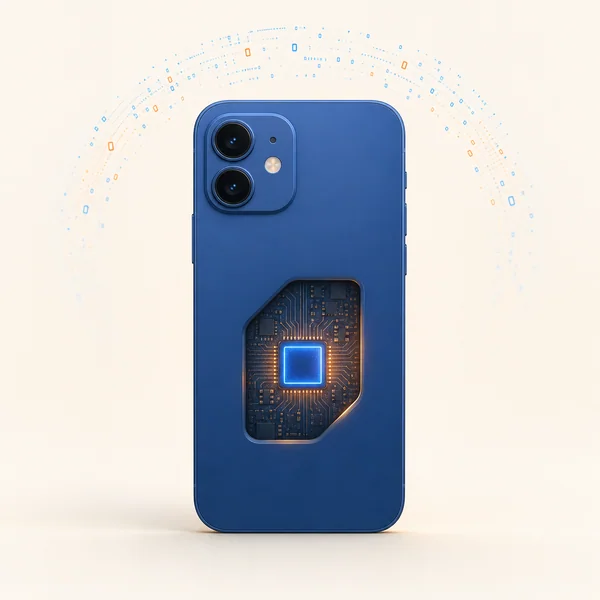
Quick answer: the EID (eUICC Identifier) is a 32-digit serial number permanently built into your phone's eSIM chip at the factory. It is the fingerprint carriers use to activate, move, or troubleshoot an eSIM, and it never changes no matter how many profiles you install or delete. Fastest way to see it: dial *#06# and it appears next to the IMEI.
You will rarely think about the EID, but the day an eSIM will not activate and support asks for it, knowing exactly where it lives saves a lot of frustration. This guide covers what the EID does, how to find it on any device, how it differs from IMEI and ICCID, and what to do when it will not show up.
What Is an EID Number?
An EID is a unique 32-digit identifier baked into every eSIM-capable device: phones, tablets, and cellular smartwatches. Because an eSIM is soldered into the hardware and cannot be popped out like a plastic SIM, carriers need a fixed reference to attach a plan to your exact device. That reference is the EID.
The name is the giveaway: EID stands for eUICC Identifier. The eUICC (embedded Universal Integrated Circuit Card) is the technical name for the eSIM chip itself, and the EID is its permanent serial number, set by the chip maker under the GSMA eSIM standards. You will also see it written informally as "Embedded Identity Document" on some blogs, but eUICC Identifier is the correct term. All EIDs are 32 decimal digits and begin with 89, the same telecom industry prefix an ICCID uses.
One more thing the eUICC name explains: a single chip (one fixed EID) can hold many eSIM profiles, each with its own ICCID. That is why your EID never changes while your ICCID is different for every plan you install.
When you buy a travel eSIM, the provider provisions a profile against your device's EID, which is what lets you connect with no physical card. The number is printed nowhere on the outside of the phone; it only shows inside Settings (or on the retail box). You interact with it in only a handful of situations: activating an eSIM, transferring a line to a new phone, blocking a lost device, or troubleshooting a profile that failed to download.
Note for travelers in India: the Aadhaar Enrolment ID is a separate 28-digit number on your enrolment slip, unrelated to the EID on your eSIM phone.
How to Find Your EID
The universal shortcut works on nearly every eSIM phone:
- Any phone: dial
*#06#and the EID displays alongside the IMEI
Or dig through Settings:
- iPhone (XS and newer): Settings → General → About, scroll past Serial Number and IMEI to EID
- Samsung: Settings → About phone → Status information (or IMEI information) → EID
- Google Pixel: Settings → About phone, or Settings → Network & internet → SIMs → your eSIM → EID
- Other Android (OnePlus, Xiaomi, etc.): Settings → About phone → SIM status, usually three taps deep
Cellular smartwatches have their own separate EID: on Apple Watch via the Watch app → General → About, on Galaxy Watch under Settings → About watch. And if the phone is boxed up, check the label near the barcode.
Need data for your trip? Compare eSIM plans by validity and data volume.
View eSIM plansEID vs IMEI vs ICCID: Which Is Which?
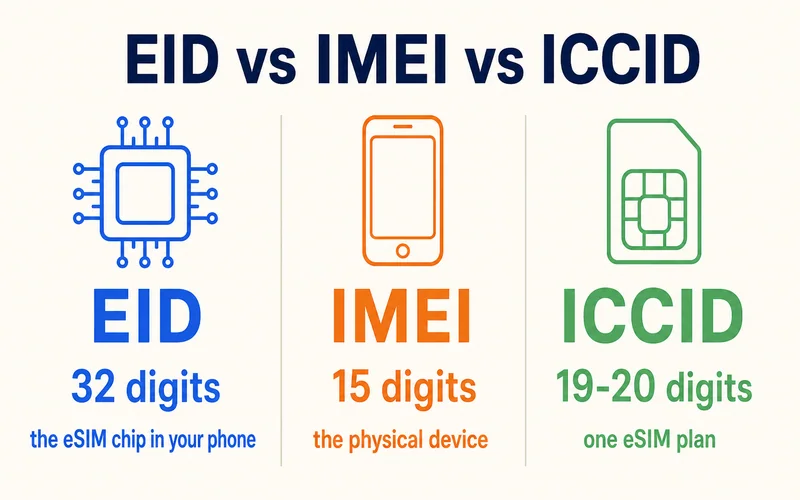
These three long numbers live on the same phone but identify completely different things. Support asks for a specific one depending on the task:
| Identifier | Identifies | Length | Changes when you swap SIMs? | Used for |
|---|---|---|---|---|
| EID | The eSIM chip (hardware) | 32 digits | No, fixed for the device's life | eSIM activation, transfers, provisioning |
| IMEI | The physical phone | 15–16 digits | No, tied to the device | Unlocking, blocking a lost or stolen phone |
| ICCID | One eSIM profile (your plan) | 19–20 digits | Yes, every new profile has a new one | Identifying a specific carrier line |
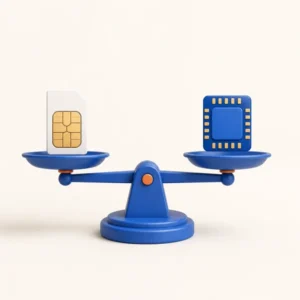
Quick memory aid: EID = the chip, IMEI = the phone, ICCID = the plan. The ICCID gets its own explainer if you need it: what an ICCID number is and how to find it.
When You Will Actually Need the EID
- Activating an eSIM: most travel eSIMs, including Zyesims, install straight from a QR code and never ask for your EID. You will only need it if a carrier provisions a profile manually or a QR scan fails
- Moving to a new phone: a carrier can restore your eSIM to a new device using its EID, skipping a store visit. (If you are wiping the old phone first, read what happens if you delete an eSIM so you do not lose the profile)
- Lost or stolen phone: your carrier can block the EID so nobody can load a new eSIM onto the device
- Troubleshooting: when a profile will not download, support uses the EID to check the provisioning on their side
What to Do If the EID Will Not Show
If no EID appears in Settings or via *#06#:
- Check eSIM support: no EID usually means the phone has no eSIM. Verify your exact model on the manufacturer's site or check our eSIM-compatible devices list — especially for phones bought in mainland China, which often ship without eSIM hardware
- Update the software: some phones only enable eSIM after a system update (Settings → Software Update)
- Restart: a reboot clears temporary glitches that hide the EID line
If the EID shows but activation still fails, confirm the phone is carrier-unlocked (a locked device rejects third-party eSIMs), double-check every digit was entered correctly, and reset network settings before trying again.
EID and Your Privacy
On its own, the EID is low-risk: it carries no personal data and cannot be used to track or block your phone (that runs on the IMEI). The one real scenario to guard against is a scammer combining a stolen EID with your account credentials to provision an eSIM elsewhere. So treat it like any sensitive identifier: keep it private, only share it with your carrier or provider over a trusted connection, lock your phone with Face ID or a strong passcode, and ignore any unexpected message asking you to "confirm your EID".
Conclusion
The EID is a quiet workhorse: a fixed 32-digit ID that ties eSIM service to your specific device. You will not touch it often, but knowing it lives one *#06# away, or three taps into Settings, turns an activation snag into a quick fix. When you are ready to add data for your next trip, browse plans on the Zyesims store; the QR code installs in about five minutes, no EID required.
Frequently Asked Questions
What is an EID number?
The EID (eUICC Identifier) is a 32-digit serial number permanently built into your phone's eSIM chip at the factory. eUICC is the technical name for the eSIM chip, so the EID is simply that chip's ID. Carriers and eSIM providers use it to activate, transfer, and secure eSIM profiles. It never changes, even after you install, swap, or delete profiles.
Can I move my EID to a new phone?
No. The EID belongs to the eSIM chip inside one specific device, so a new phone always has its own different EID. What moves between phones is the eSIM profile (plan), not the EID: your carrier reissues or transfers the profile onto the new device's EID. You never "transfer an EID" — you move the service that sits on top of it.
How do I find my EID?
Fastest way on almost any phone: dial *#06# and the EID shows alongside the IMEI. On iPhone: Settings > General > About, scroll to EID. On Samsung, Pixel, and most Android: Settings > About phone > SIM status or IMEI information. The EID is also often printed on the phone's original box near the barcode.
Is the EID the same as the IMEI or ICCID?
No, they identify different things. EID = the eSIM chip in your device (32 digits, never changes). IMEI = the physical phone (15-16 digits, used to lock or block a device). ICCID = one specific eSIM profile or plan (19-20 digits, changes with each new profile). Quick memory aid: EID = the chip, IMEI = the phone, ICCID = the plan.
Do all phones have an EID?
Only phones that support eSIM have an EID. If your device is physical-SIM only, there is no EID. If you dial *#06# and see no EID line, your phone likely does not support eSIM, though a software update sometimes enables it.
Is it safe to share my EID?
Share it only with your carrier or eSIM provider when activating or troubleshooting. On its own the EID exposes no personal data, but treat it like any device identifier: do not post it publicly, and never send it in reply to an unexpected email or text asking for it.
Read More
- ICCID Number: What It Is and How to Find It
- What Is an eSIM? A Beginner's Guide
- eSIM on iPhone 15: Setup and Tips
Keep reading
- What Is an ICCID Number? Meaning, Format, and Where to Find It
- What Is an eSIM? A Complete Beginner's Guide for Travelers (2026)
- How Long Does It Take to Activate an eSIM? Real Timelines
- eSIM Stuck on Activating? Why It Happens and 9 Fixes That Work (2026)
- eSIM Not Working? How to Fix No Service on iPhone and Android

A travel and tech enthusiast who loves to wander and discover new places. Mihi writes Zyesims' guides to eSIMs and mobile data abroad, built from carriers' and app makers' own documentation, published plan terms and Zyesims' current plan data — with sources named in each article. Mihi also writes about travel at MihiTravel and Notemeeting.
Ready for your next trip?
Choose the right eSIM, get your QR code by email, and connect when you land — coverage in 200+ countries.