How Long Does It Take to Activate an eSIM? Real Timelines

Most eSIMs activate in 1 to 5 minutes; travel eSIMs often under a minute. The two steps of activation, timing by scenario, why some stall, and how to make yours fast before a trip.
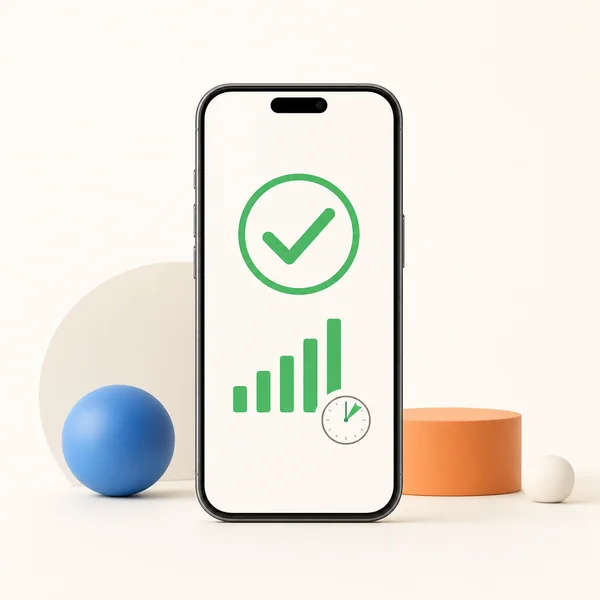
Quick answer: most eSIMs activate in 1 to 5 minutes once you finish setup. Travel eSIMs from digital providers are usually the fastest, often under a minute on a good connection, while big carriers can occasionally take a few hours if they need extra provisioning. Activation completes only when your phone registers on a network, so a stable WiFi or strong signal makes the biggest difference.
This guide breaks down the two steps of activation, how long each scenario really takes, why some activations stall, and how to make sure yours is fast before a trip.
The Two Steps of Activation
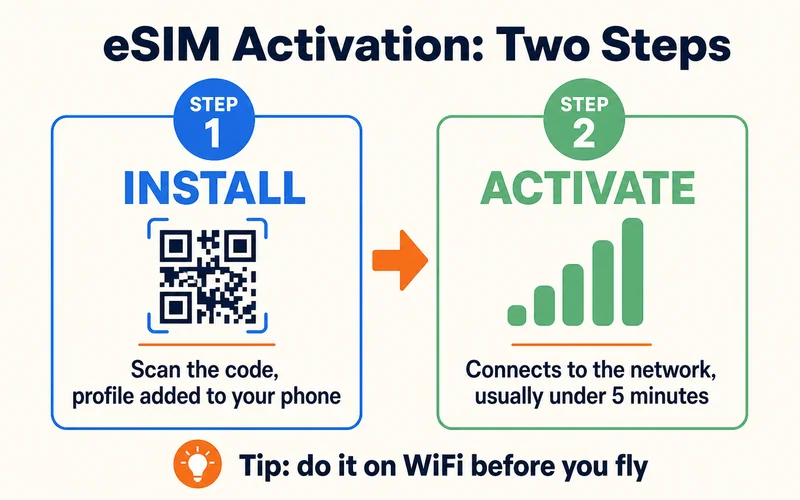
"Activating an eSIM" is really two things, and knowing the difference explains most delays:
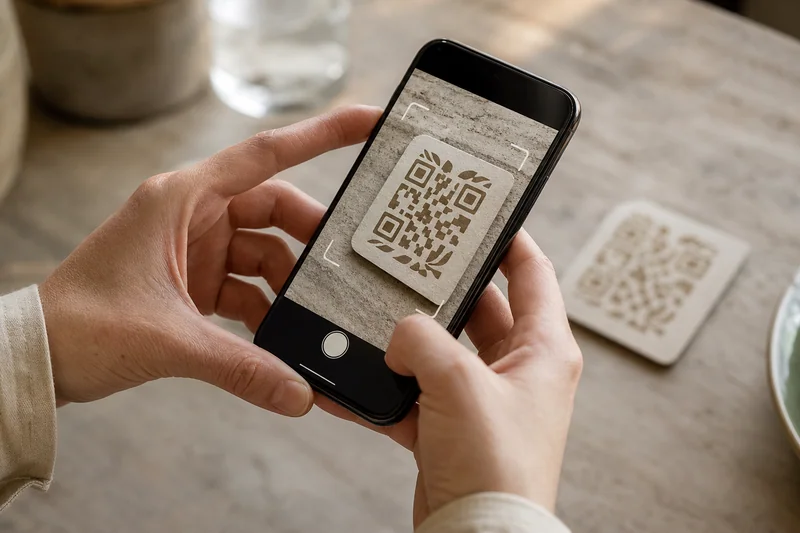
- Install: after you buy, you get a QR code by email. Scanning it (iPhone: Settings → Cellular → Add eSIM; Android: Settings → Network & Internet → SIMs) loads the profile onto your phone. If the QR code is on the same phone you're setting up, use manual entry instead — the email includes an SM-DP+ address and activation code you can type in. Installing adds the plan but doesn't connect it yet, like inserting a physical SIM before it finds a network.
- Activate: the eSIM connects to a network. This usually happens automatically within a few minutes; you will see signal bars and often a confirmation message.
New to the whole flow? See how to buy an eSIM online and the pillar guide, what an eSIM is.
How Long It Really Takes
| Scenario | Typical time |
|---|---|
| Travel eSIM, good WiFi, supported phone | Under 1 minute to 5 minutes |
| Whole process: buy, install, activate | Under 10 minutes |
| Carrier needing manual verification | A few hours |
| Rare provisioning delays | Up to 24 hours |
Instant activation assumes three things: your phone is unlocked and eSIM-capable, the network has no technical delay, and you have a reliable connection during setup. Miss one and the timeline stretches.
iPhone vs Android: any difference?
Not much in practice, both install a profile in seconds and connect within a few minutes. The small differences: on iPhone, after scanning you may see the line briefly show "Activating…" while it registers, and eSIM Quick Transfer between two iPhones is near-instant. On Android (Samsung, Pixel, and others), install is equally fast, but you occasionally need to toggle the line off and on, or restart, before it shows signal. Neither platform is meaningfully slower; the network and your connection matter far more than iOS vs Android.
Need data for your trip? Compare eSIM plans by validity and data volume.
View eSIM plansWhen Activation Actually Starts
Installing is not the same as activating, and mixing them up causes most of the confusion. Scanning the QR code installs the profile in seconds. But many travel eSIMs are set to activate on first connection at your destination, so the line — and the validity clock — only truly starts when your phone registers on a local network. That's deliberate, and it works in your favor: you can install at home days early without burning any validity. Nearly all Zyesims plans work exactly this way — the clock starts at first connection; a small number start on install instead, and the plan page says which. Other providers vary, so check the terms wherever you buy. The key takeaway: install early, but expect the plan to go live when you arrive, and don't panic if it says "Activating" until then.
Should You Activate Before You Travel or on Arrival?
Always install before you travel, on home WiFi, so you catch any problem while it's still easy to fix. Whether the plan activates then or on arrival depends on the plan type: a fixed-data plan that starts on first network connection is safe to install early; a plan that starts on install or a fixed date should be timed to your trip. When in doubt, install at home and leave the line switched off until you land, then turn it on to connect. With a dual SIM setup, your home line stays live throughout, so you're never offline while the eSIM comes up.
Do You Need WiFi?
You need an internet connection to activate, and WiFi is strongly recommended. Activation downloads a carrier profile and syncs it with your device, so stable internet matters. You can use another SIM's mobile data, but that's risky abroad, where roaming is costly. The safe move: install and activate on WiFi at home before you travel, and test that data works before you board. That way you are not depending on flaky airport WiFi when you land.
Why Activation Fails, and How to Fix It
Most failures come down to a weak connection, an incompatible or locked phone, or wrong details. Work through these in order:
- Restart the phone after installing — it refreshes network settings and often triggers recognition
- Switch WiFi networks — hotel and public WiFi sometimes block the download
- Confirm the phone is unlocked and supports eSIM for your region
- Delete and reinstall the profile if your provider allows — the first download may have been incomplete
- Don't retry over and over — some systems flag repeated failures as suspicious and block further attempts
- Contact support if it persists; they can resend or manually activate the profile
For deeper fixes, our guide on when an eSIM is not working covers the stubborn cases.
How to confirm it worked: you will see signal bars and the network name. On iPhone, Settings → Cellular → your plan should say Connected; on Android, check Settings → Network & Internet → SIMs. "No Service" means it isn't done yet.
How to Make Activation Fast
- Activate on strong WiFi — at home, a hotel, or a lounge, not while commuting
- Check compatibility first — see our eSIM-compatible devices list so you don't hit an error mid-setup
- Install once and follow the prompts; most QR codes only work for a single install, so avoid re-downloading the same profile
- Turn on data roaming for the eSIM at your destination so it connects to the local network (this is normal and expected for travel eSIMs)
- Follow the provider's setup guide — the steps are ordered to avoid the common snags
Do all that and you'll typically be connected in under five minutes. And since a dual SIM setup keeps your home number active alongside the eSIM, even a slow activation never leaves you unreachable.
Conclusion
For a travel eSIM on a supported phone with good WiFi, activation is a matter of minutes, often seconds. The rare delays come from carrier provisioning or a shaky connection, both avoidable by activating at home before you fly. Buy your plan, scan the code, confirm data works, and you are set. Browse plans from $0.89 across 200+ destinations on the Zyesims store.
Frequently Asked Questions
How long does it take to activate an eSIM?
Usually 1 to 5 minutes from the moment you finish setup. Travel eSIMs from digital providers are often the fastest, connecting in under a minute on good WiFi. Activations from major carriers can occasionally take a few hours, or rarely up to 24 hours, if they need extra provisioning time.
Do I need WiFi to activate an eSIM?
Yes. Activation downloads a carrier profile and syncs it with your phone, so a stable WiFi connection is strongly recommended. Do the install and activation on WiFi before you fly, so you land with data already working rather than relying on airport WiFi.
Why does my eSIM fail to activate?
The usual causes are a weak internet connection during setup, a phone that is locked to another carrier or does not support eSIM, or wrong activation details. Restart the phone, switch to a stronger WiFi network, confirm the phone is unlocked, and if it still fails, delete and reinstall the profile or contact support.
How do I know if my eSIM is activated?
Your phone shows signal bars and the network name once it is connected. On iPhone, check Settings > Cellular > your eSIM plan, it should say Connected. On Android, check Settings > Network & Internet > SIMs for signal status. No Service or Not activated means the process is not finished yet.
Can I activate an eSIM myself or do I need a store?
For travel and digital eSIMs you activate it yourself in minutes, no store visit. You just scan the QR code from your email on a supported, unlocked phone connected to WiFi. A store is only needed if your phone is locked, incompatible, or the provider requires in-person ID verification.
Can I activate my eSIM before traveling?
You should always install it before you travel, on home WiFi, so you can fix any issue early. Whether it fully activates then depends on the plan: many travel eSIMs are set to start on first connection at your destination, so the profile installs now but the data and validity begin when you land. Others start on install or a chosen date, so check your provider's terms.
Does an eSIM activate automatically?
Usually yes. Once the profile is installed and the line is enabled, the eSIM connects to a supported network on its own within a few minutes, no manual step needed. If it stays on "Activating" or "No Service," restart the phone or toggle the line off and on. Turning on data roaming for the eSIM at your destination is normal and helps it connect.
When does my plan's validity start?
On most travel eSIMs, validity starts when the eSIM first connects to a network at your destination, not when you buy or install it, so installing early is safe. Some plans start on install or a fixed date instead, so confirm your provider's policy before you activate the line.
Read More
- How to Buy an eSIM Online
- My eSIM Is Not Working: Causes and Fixes
- What Is an eSIM? A Beginner's Guide
Keep reading
- eSIM Not Working? How to Fix No Service on iPhone and Android
- How to Buy an eSIM Online: A Simple Guide for Travelers
- EID Number Explained: How to Find It Fast on iPhone and Android
- What Is an ICCID Number? Meaning, Format, and Where to Find It
- eSIM Stuck on Activating? Why It Happens and 9 Fixes That Work (2026)

A travel and tech enthusiast who loves to wander and discover new places. Mihi writes Zyesims' guides to eSIMs and mobile data abroad, built from carriers' and app makers' own documentation, published plan terms and Zyesims' current plan data — with sources named in each article. Mihi also writes about travel at MihiTravel and Notemeeting.
Ready for your next trip?
Choose the right eSIM, get your QR code by email, and connect when you land — coverage in 200+ countries.