How to Buy an eSIM Online: A Simple Guide for Travelers

Buying an eSIM is a five-minute online purchase: choose a plan, pay, get a QR code by email. How to buy, where to buy, how to pick the right plan, and when to buy it for a trip.
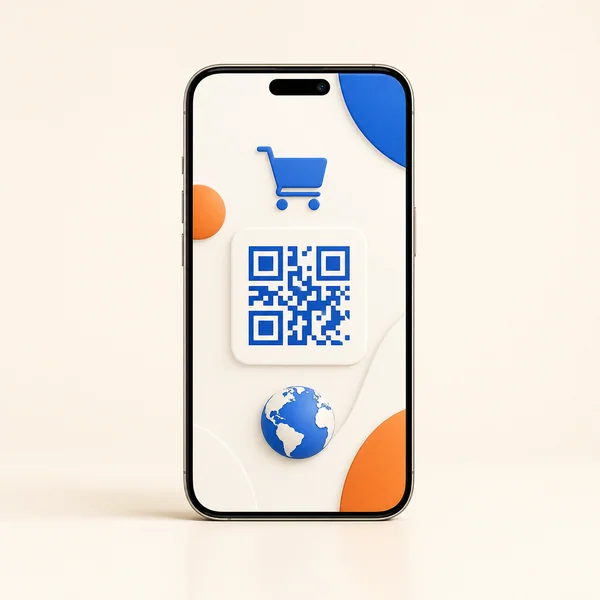
Quick answer: buying an eSIM is a five-minute online purchase. Choose a plan for your destination, pay, and get a QR code by email instantly. Scan it on your phone, turn the line on when you land, and you have data at local rates — no shop, no paperwork, no roaming bill. The main things to get right are picking the correct destination, the right data size, and confirming your phone supports eSIM.
This guide covers exactly how to buy, where to buy, how to choose the right plan, and when to buy it for a trip.
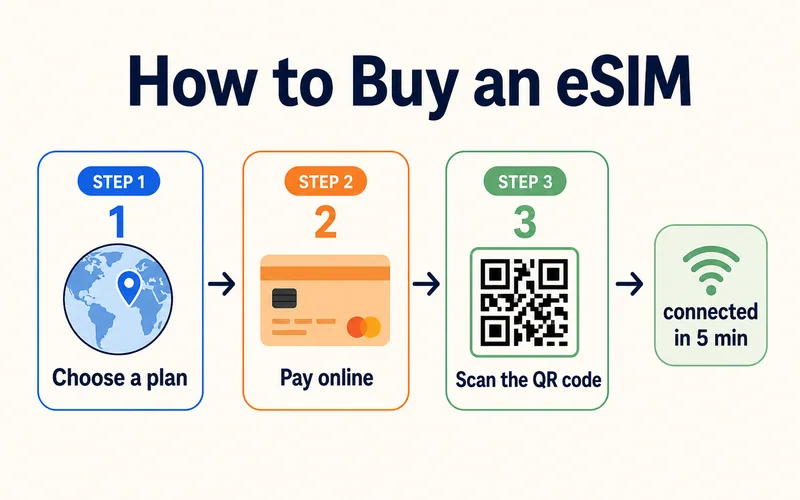
How to Buy an eSIM in 4 Steps
- Check your phone first. Two things must be true: it supports eSIM (dial
*#06#and look for an EID number, check Settings for an "Add eSIM" option, or check our eSIM-compatible devices list — iPhone XR, Galaxy S20, and Pixel 3 or newer all qualify) and it is carrier-unlocked. A phone still locked to your home carrier will reject a third-party eSIM, so this is the one check people skip and regret. New to this? See what an eSIM is - Choose your plan. Pick your destination (or a regional plan), then a data size and validity that fit the trip
- Pay online. No store visit, no ID paperwork for most travel eSIMs. The QR code lands in your email in minutes
- Install and activate. Scan the QR code (Settings → Add eSIM), then on arrival set it as your data line and switch on Data Roaming for that line — most travel eSIMs need it. Timing details in how long activation takes
Where to Buy an eSIM
- Digital travel-eSIM providers (like Zyesims): the best value and fastest setup for travel. You buy online, get the QR code by email, and pay a fraction of roaming rates. Ideal for one country or many
- Your home carrier: convenient but priced like roaming, usually the most expensive way to get data abroad
- Local carriers at your destination: cheap local rates, but you lose time finding a shop and often need ID
Whichever you choose, buy from the provider's own official site, not unofficial resellers, so your QR code and support are genuine. Browse plans for 200+ destinations on the Zyesims store.
Need data for your trip? Compare eSIM plans by validity and data volume.
View eSIM plansWhat You Get After You Pay
Payment is quick: most travel eSIMs take cards, PayPal, and Apple or Google Pay. Within a minute or two you receive one of three things:
- A QR code by email (the most common), which you scan in your phone's eSIM settings to install the profile
- An in-app install button, if the provider has an app, that adds the eSIM in one tap
- A manual code (an SM-DP+ address and activation code) to type in if you can't scan the QR code — every provider includes this as a backup
Save that email somewhere you can reach offline — a password manager or cloud storage, not just your photo gallery. If you lose the code you can usually re-download it from your account, but having it saved means you can install even without a connection. Nothing else is mailed; there is no physical card and no waiting.
How to Choose the Right Plan
Once you are on a provider's site, five things decide the right plan:
- Coverage: make sure the plan covers your exact destination, or a region that includes it
- Data size: plan around 1 to 2GB per active day. A one-week trip is comfortable on 5 to 10GB; a two-week multi-city trip is safer with 20GB or more
- Validity: the plan should cover your whole stay, including arrival and departure days
- Hotspot and fair use: if you tether a laptop, confirm hotspot is allowed, and understand any fair usage policy on "unlimited" plans
- Price per GB: the honest comparison number. Zyesims plans start at $0.89, and larger plans work out to well under $1 per GB
Providers usually sell three scopes: a local plan for one country (cheapest per GB), a regional plan covering a continent or group of countries, and a global plan spanning many. If your trip crosses borders, a regional plan beats juggling several country plans; for a single country, local wins on price. Either way, keep your home number active with a dual SIM setup so calls and bank codes still reach you.
When to Buy for a Trip
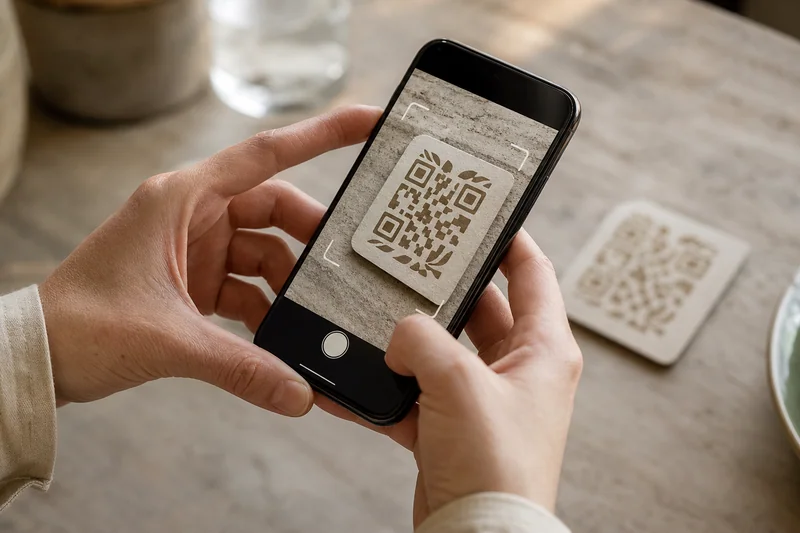
Buy a day or two before you leave and install it on WiFi at home. That gives you time to test the profile and confirm your phone is happy, instead of troubleshooting at the airport. On most travel eSIMs the validity clock does not start when you buy — it starts when the eSIM first connects to a network at your destination, so installing early does not burn any days. Terms vary by provider, though, so check whether yours starts on first use, on a chosen date, or on install before you activate.
The one thing to avoid: waiting until you have landed with no data and no local WiFi. Install before you fly and you step off the plane already connected.
Conclusion
Buying an eSIM comes down to four moves: check your phone, choose the right destination and data size, pay online, and scan the QR code before you fly. Skip the roaming prices and the airport SIM hunt entirely. When you are ready, compare plans from $0.89 across 200+ destinations on the Zyesims store, and install on WiFi so you land connected.
Frequently Asked Questions
How do I buy an eSIM online?
Pick a provider, choose a plan for your destination and data size, and pay online — no paperwork or store visit. Your QR code arrives by email instantly. Scan it on your eSIM-capable phone, and turn the line on when you land. The whole process takes about five minutes.
Where is the best place to buy a travel eSIM?
Digital travel-eSIM providers are usually the best value and the fastest to set up, since you buy online and get the QR code by email in minutes. Home carriers sell eSIMs too but at roaming-level prices. Buy directly from a reputable provider's own site rather than unofficial resellers.
What should I look for when choosing an eSIM plan?
Coverage in your destination, enough data for your trip (plan around 1 to 2GB per active day), validity that covers your whole stay, whether hotspot is allowed, and price per GB. Also check your phone supports eSIM and is carrier-unlocked before buying.
When should I buy an eSIM for travel?
Buy a day or two before you travel and install it on WiFi at home, so you can test it and land with data ready. Many travel eSIMs let you set the plan to start on your arrival date, so buying early does not waste any days.
Do I need to show ID to buy a travel eSIM?
Usually not. Most travel eSIM providers sell prepaid data plans with no ID check, unlike local SIMs or postpaid carrier plans that often require identity verification. You just need an eSIM-capable, unlocked phone and an email address for the QR code.
How much does a travel eSIM cost?
Far less than roaming. Prices depend on destination and data size, but travel eSIMs typically work out to a dollar or two per GB, and small country plans start around $0.89. A week's data for one country often costs a few dollars, versus $10-15 a day for carrier roaming.
When does my plan's validity start?
On most travel eSIMs, the validity period starts when the eSIM first connects to a network at your destination, not when you buy or install it. That means you can safely buy and install early on WiFi at home. Policies vary, some start on a chosen date or on install, so check your provider's terms before activating.
Can I buy an eSIM for someone else?
Yes. Since the QR code arrives by email, you can buy a plan and forward the code (or the installation details) to the traveler, which makes an eSIM an easy gift. Just make sure their phone supports eSIM and is unlocked, and that the plan covers where they are actually going.
What if I lose the QR code?
You can usually re-download it from your account on the provider's site, which is why buying from the official site matters. This is also why it's worth saving the confirmation email to a password manager or cloud storage right after purchase, so a lost email or wiped phone doesn't take the code with it.
Read More
- What Is an eSIM? A Beginner's Guide
- How Long Does It Take to Activate an eSIM?
- How Does Dual SIM Work? The Travel Setup
Keep reading
- What Is an eSIM? A Complete Beginner's Guide for Travelers (2026)
- How Long Does It Take to Activate an eSIM? Real Timelines
- eSIM Not Working? How to Fix No Service on iPhone and Android
- Anonymous eSIM in 2026: How to Get Travel Data Without ID Verification
- eSIM Stuck on Activating? Why It Happens and 9 Fixes That Work (2026)

A travel and tech enthusiast who loves to wander and discover new places. Mihi writes Zyesims' guides to eSIMs and mobile data abroad, built from carriers' and app makers' own documentation, published plan terms and Zyesims' current plan data — with sources named in each article. Mihi also writes about travel at MihiTravel and Notemeeting.
Ready for your next trip?
Choose the right eSIM, get your QR code by email, and connect when you land — coverage in 200+ countries.